
Best Vibe Coding Tools 2026: Complete Decision Guide for Non-Technical Founders
Choose the right AI coding tool to reach your first paid customer. Compare Cursor, Claude Code, Bolt, Lovable, v0, and Replit for domain experts building real products.
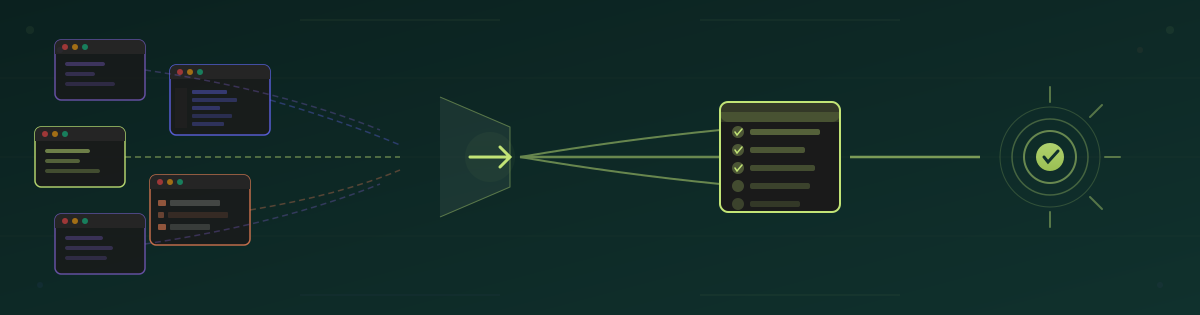
#Ship Your SaaS in Weeks, Not Months—No Developer Required
Non-technical founders are launching paid products in 2-4 weeks using AI coding tools. This guide helps you pick the right one and avoid costly rebuilds.
What is vibe coding? You describe what you want in plain English, and AI agents write all the code. You iterate together until it works—often in hours, not months.
Is it really possible to build a working SaaS this way? Yes. Today's tools make it achievable, and they're improving rapidly. But it isn't always easy—AI agents make mistakes, features can break, and some tools fit your workflow better than others.
By the end of this guide, you'll know:
- Which tool matches your technical comfort level and budget
- How each tool handles the same simple app (so you can compare directly)
- Why detailed specs prevent expensive rebuilds later
So, what tool should you pick to hit the ground running?
#How to Choose Your Vibe Coding Tool
Tool choice paralysis is real—and overwhelming. Each vibe coding tool works differently. Understanding your needs and technical abilities narrows your choice to one or two options instead of a dozen. Then try them out and see which fits your way of thinking.
Here are a few more questions that may help you narrow your selection:
#1. How Comfortable Are You with Git and Version Control?
GitHub is more than just the website that stores your code and helps developers collaborate. Git gives you version control—you can move back to older states of the codebase if mistakes happen. With Git branches, you keep your working code in the main branch and work on features in other branches. When the new features are ready, you merge them into main.
If you're not familiar with Git—that's fine. Browser-based tools like Bolt and Lovable handle version control automatically.
If you're learning Git or already comfortable with it, IDE-based tools let you use that skill for more control.
Why this matters for vibe coding: AI agents make mistakes. Without version control, one bad prompt can break your working app with no way to recover. Git lets you experiment fearlessly—if the AI breaks something, roll back to the last working version in seconds. (New to Git? Read our Git version control guide for AI builders.)
#2. Control vs Speed: What Matters More Right Now?
Speed: Auto-accept all AI changes without reviewing them. You'll churn out features quickly, but the codebase becomes messy. If your SaaS grows and you hire developers later, they'll spend time refactoring before adding new features.
Control: Review each change, understand what the AI created, and iterate until the code does exactly what you need. This approach is slower, but produces higher-quality code that you (or a future dev team) can follow and maintain.
#3. What's Your Monthly Budget and Usage Pattern?
How much vibe coding will you do every day? If it is just an hour or two a day, you can probably get away with the base plans that are offered. Most vibe coding tools are very affordable to start - and you may find yourself using more than one.
As your usage increases, you will exceed the base usage plans, and can expect to pay overage amounts. If those amounts continue to grow, you can upgrade to higher usage plans.
#4. Are You Handling Customer Data Yet?
You've probably heard warnings about sending private data to an LLM. The same applies to your customer data. When your code queries include personally identifiable information (PII), you leak private data—putting both your business and your customers at risk.
The best approach is to use a test environment with only test data in your database. The 2nd best approach is to edit all logging and error messages to remove PII (but this is slow, and easy to forget when crunching through a really pesky problem.)
Even if your vibe coding platform is SOC2 compliant, it is not ok to share PII from logs, etc. to the coding platform.
#5. Will you Move to a Dev Team?
Is your product a simple tool you can maintain the same way you built it? Or do you envision a larger product that you'll eventually hand off to developers? If handoff is likely, lean toward controlled vibe coding—clean code is easier to maintain than the spaghetti code that arises from prioritizing speed.
Now that you know what to consider, let's see these factors in action. Below, we compare the most popular tools by building the same app with each—so you can see exactly how they differ.
#The Most Popular Tools in Early 2026
We rank tools from least technical (no Git, no IDE) to more advanced (Git knowledge, coding IDE). If you're a non-technical founder, start at the simpler end and work your way up as your skills grow. If you're already a developer, jump to the more technical tools.
For each tool, we'll build the same small SaaS-like app—Founder Daily Pulse: a check-in app with 3 simple questions that gives you feedback on your day.
The prompt that I will use with each tool is:
1Daily Pulse is a tiny app that helps founders check in with themselves once a day and get a clear snapshot of how they're actually doing.
2
3Instead of tracking everything, it asks just three quick questions:
4
5How's your energy?
6
7How focused do you feel?
8
9How stressed are you?
10
11From those inputs, Daily Pulse generates a simple visual summary and a short, human-readable insight.
#Lovable: Browser-Based Full-Stack Builder (Hosted MVP Platform)
Lovable is built into the browser. There is no code, there is no IDE. You just tell the Agent what to build and you start going.
Lovable Pro costs $50/month and includes 200 credits. I built the sample application on the free tier and couldn't easily determine the exact credit usage.
Giving Lovable our prompt, it created a webpage that uses a number of common development technologies:
- Vite
- TypeScript
- React
- shadcn-ui
- Tailwind CSS
It created a test, a 404 (page not found) placeholder, and a nicely working app.
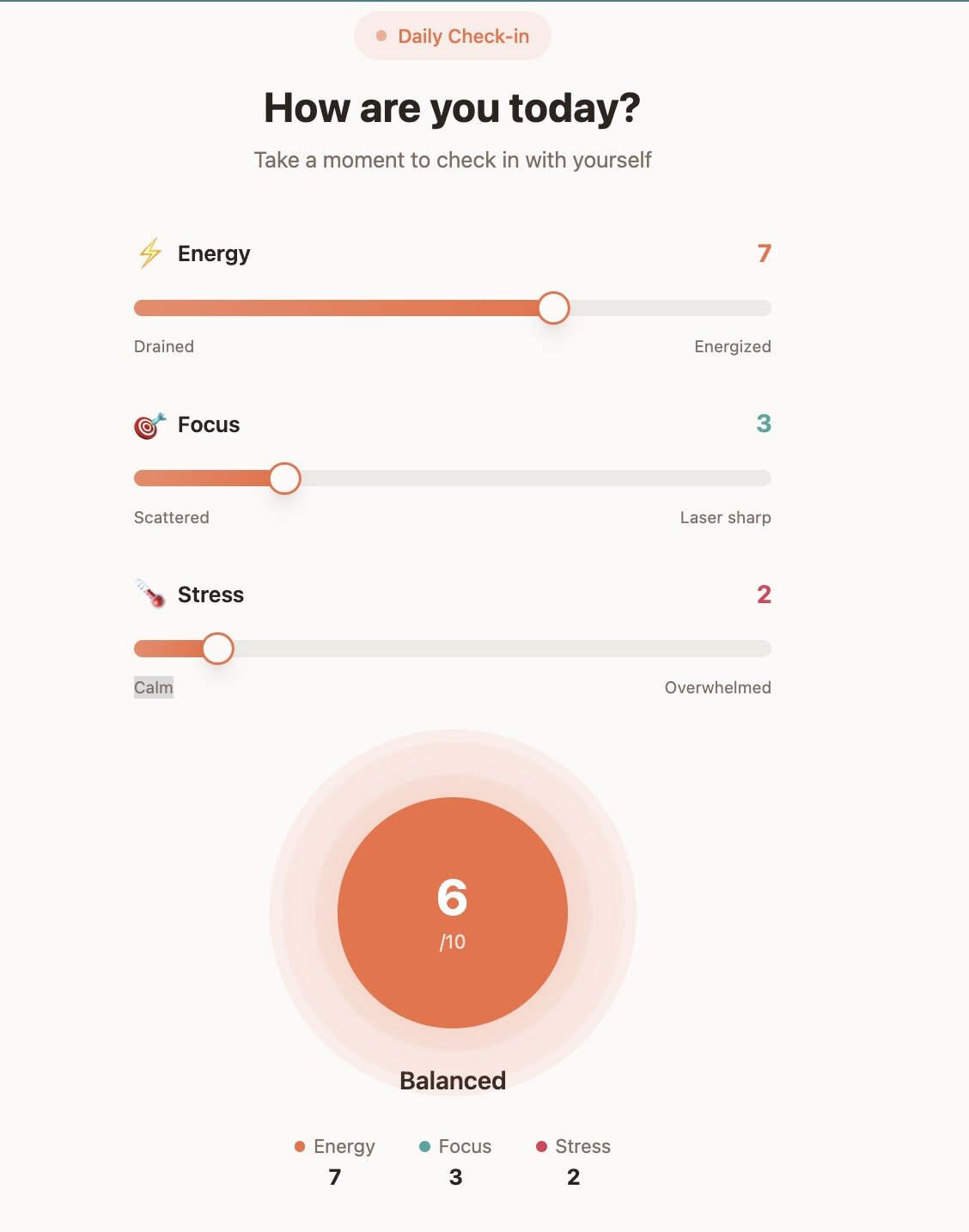
You can try the app yourself at Lovable.
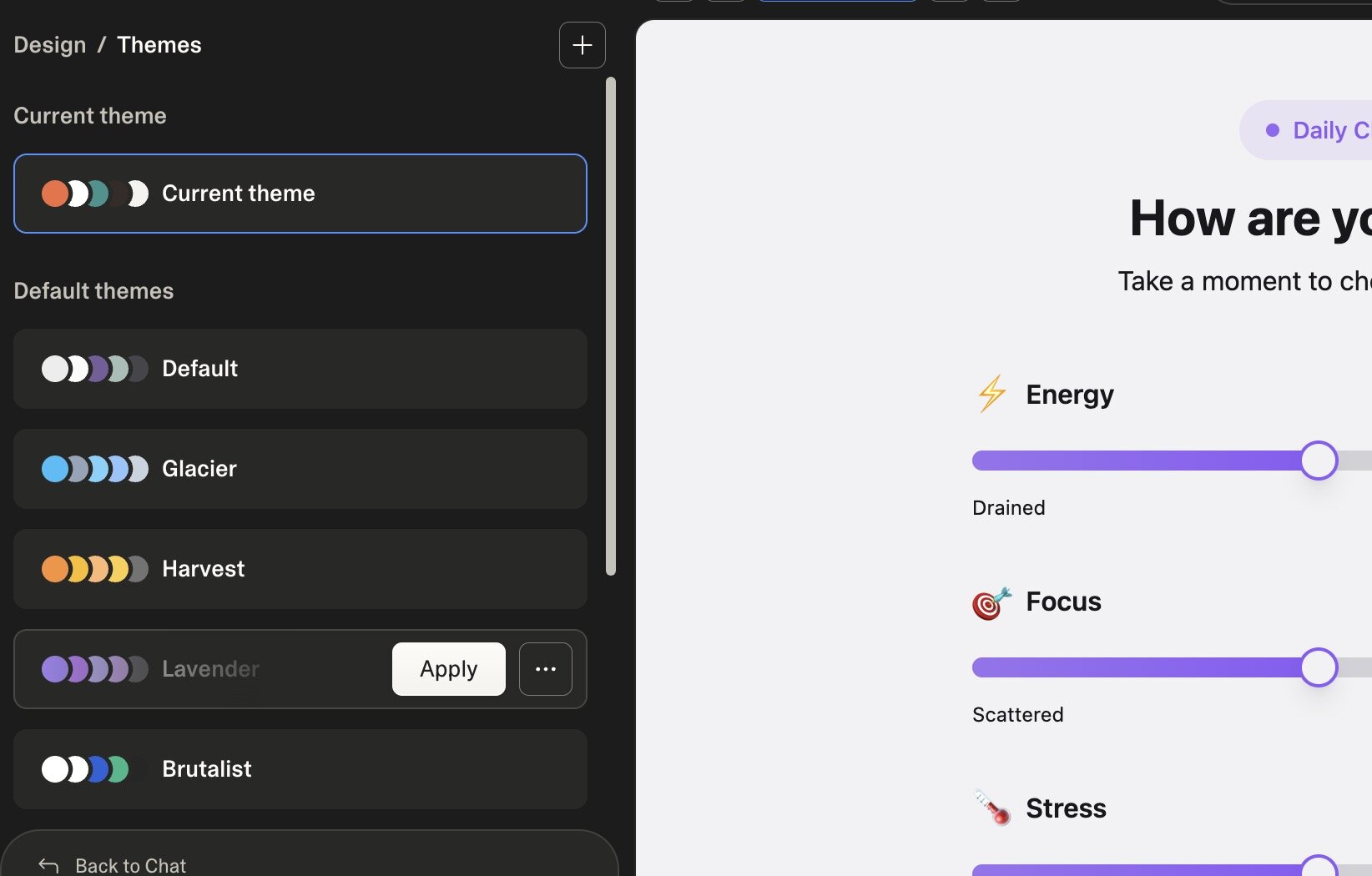
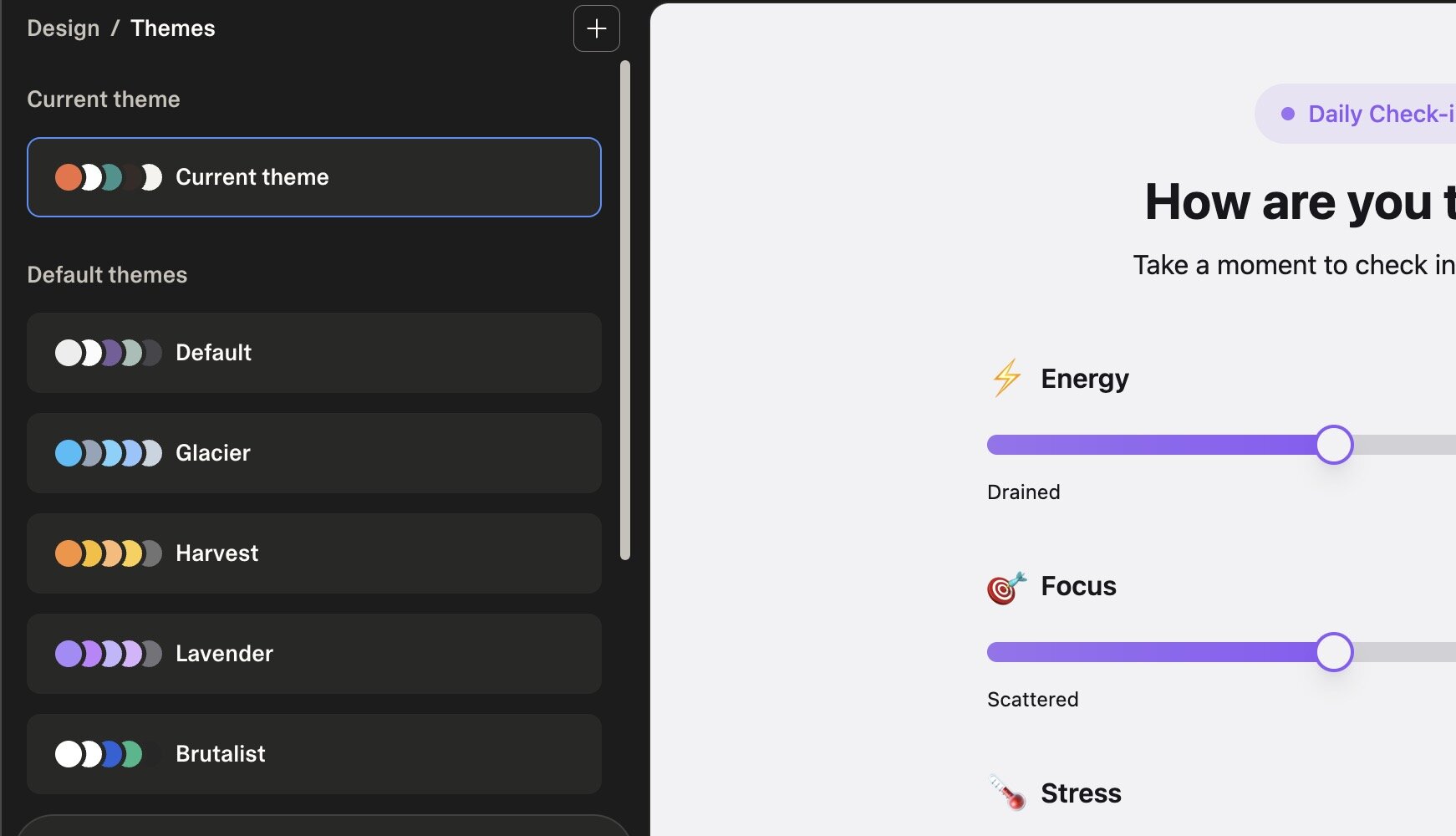
Lovable has a built in design tab that allows you to easily adapt and change the design of your application.
Here we can adapt the images, fonts or colors:
Lovable is a great tool to begin your vibe coding journey—no coding requirements, no GitHub dependencies. We've written a tutorial on how to download a Lovable project for when you're ready to move to more advanced tools or hand off to a developer.
While Lovable excels at simplicity, Bolt.new adds more production-ready features like built-in authentication and databases.
#Bolt.new: Browser to Deployed App
Bolt.new, like Lovable, is browser-based. You can begin without even logging in. After entering the prompt, Bolt immediately started building:
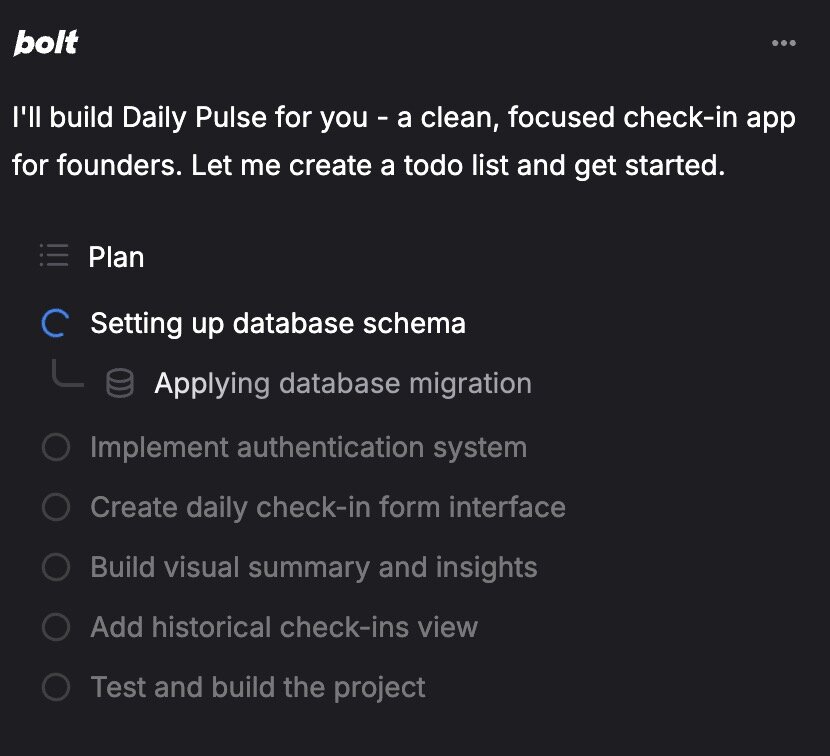
A few minutes later, the Bolt version of our app was ready. Bolt built in a database for logins and to store pulse scores over time. It included login by default—making it easy to scale to many users. In Bolt's settings, you can even enable Google sign-in.
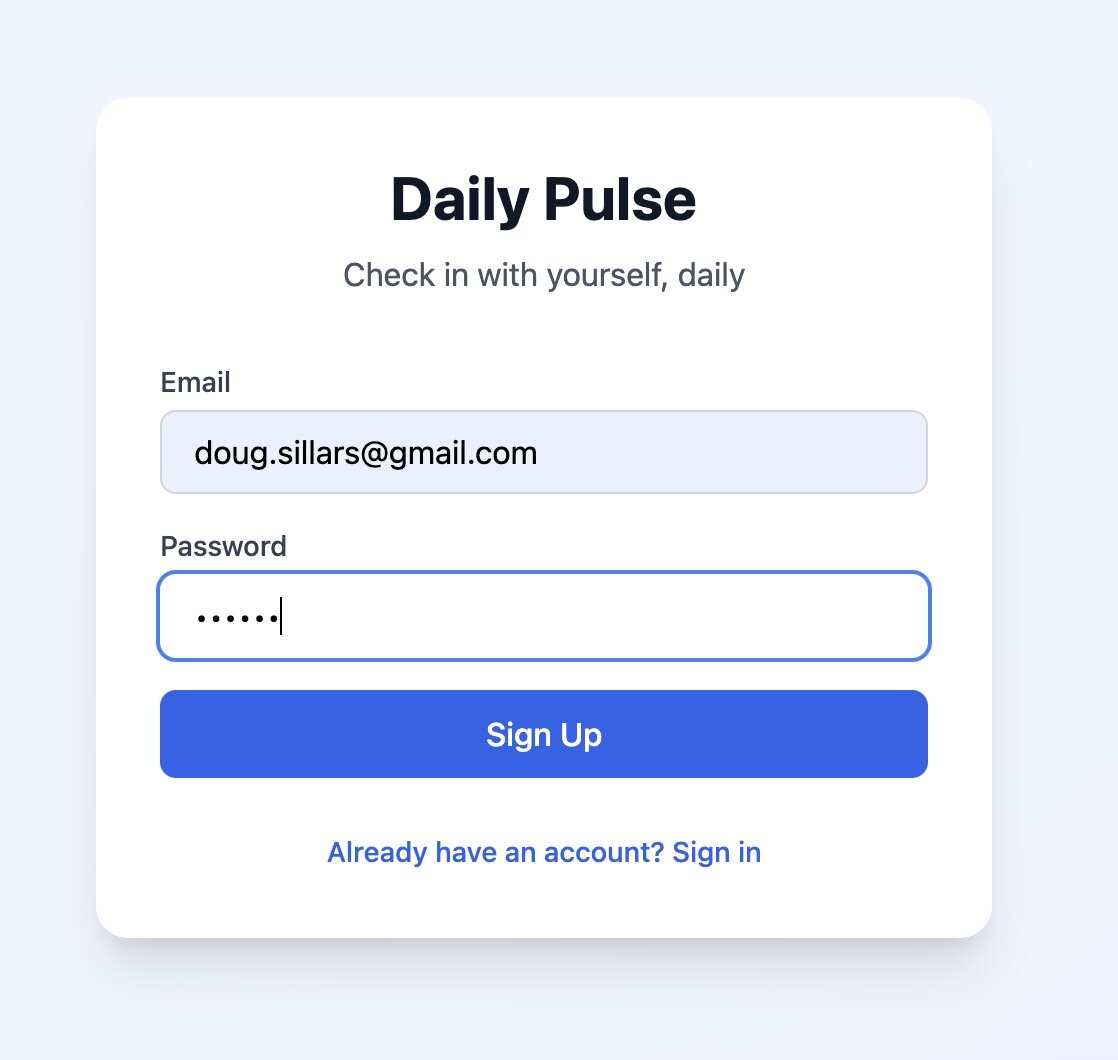
Once signed in, we have 3 sliders, again 1-10. The user submits their result:
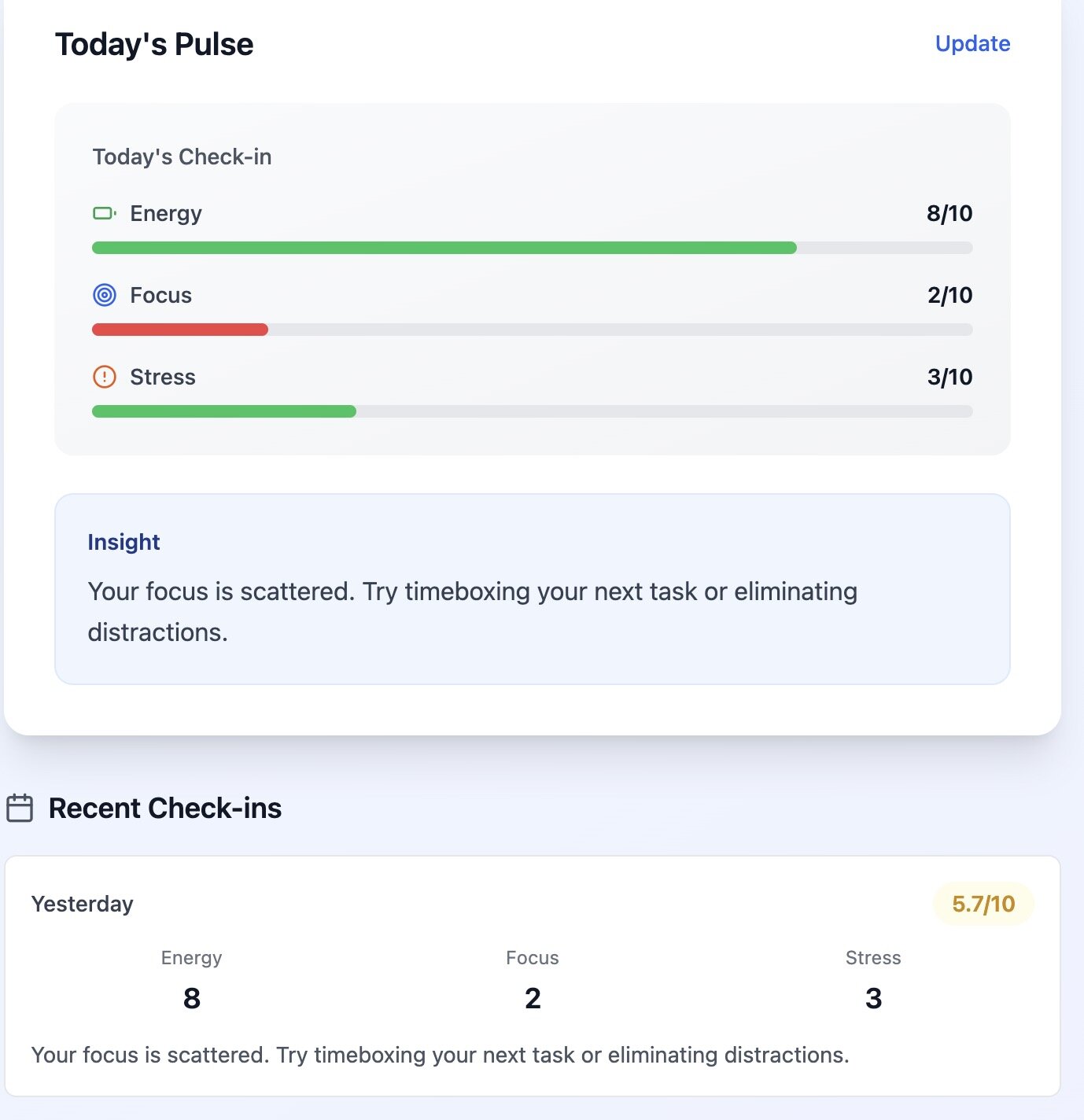
The bars are green for good values and red for worse ones. Supabase (an open-source database tool) stores the data and displays yesterday's results alongside today's—although it appears to show the same values for both.
You can try the Bolt.new app
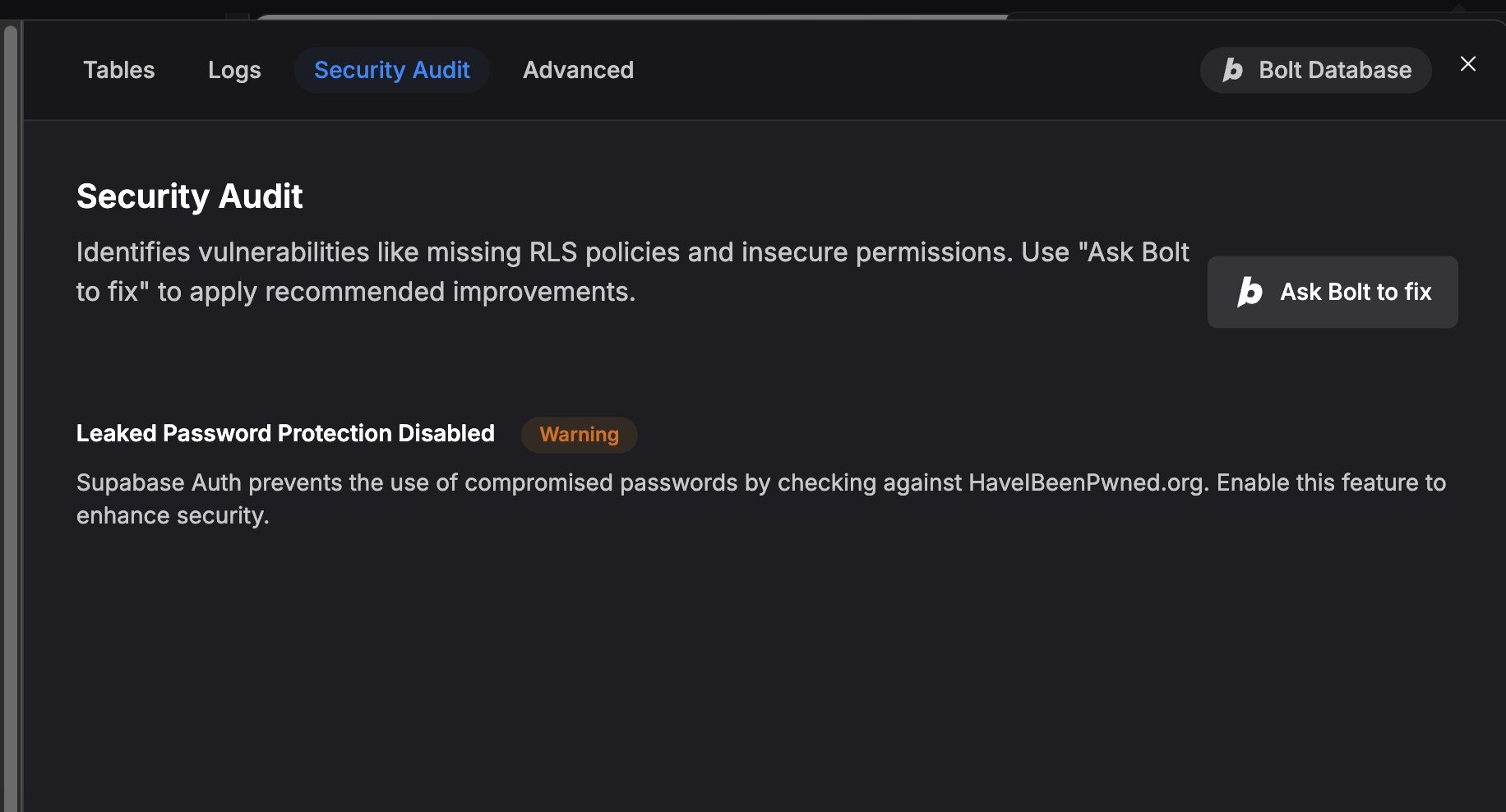
When publishing, Bolt discovered a security issue:
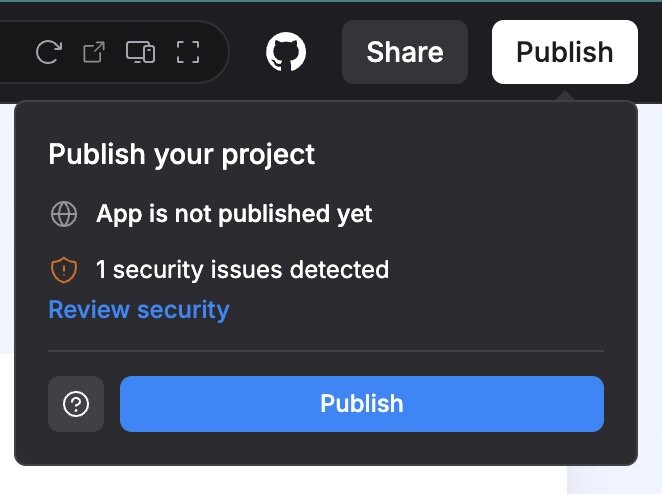
Supabase scans for insecure passwords. In this case, I chose to ignore the warning—but if I were building a real SaaS, I'd fix this.
The free Bolt.new account includes 1M tokens—I used ~232k tokens to build this app. Pro accounts cost $25/month and include 10M tokens.
#v0 by Vercel: UI-Focused Component Generator
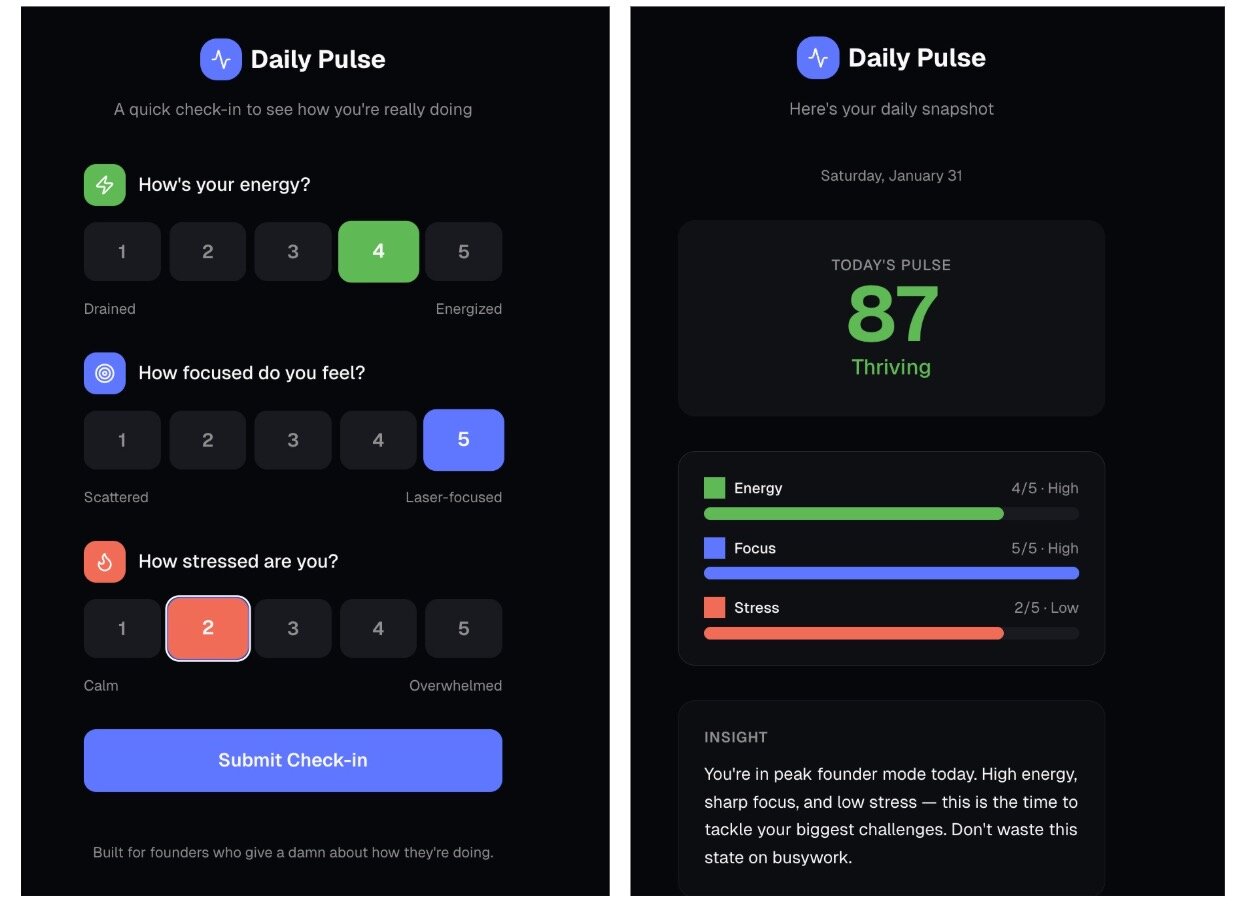
v0 by Vercel is also browser-based. Sign up free and start prompting. Vercel built our application with buttons rather than sliders and defaulted to a dark mode design:
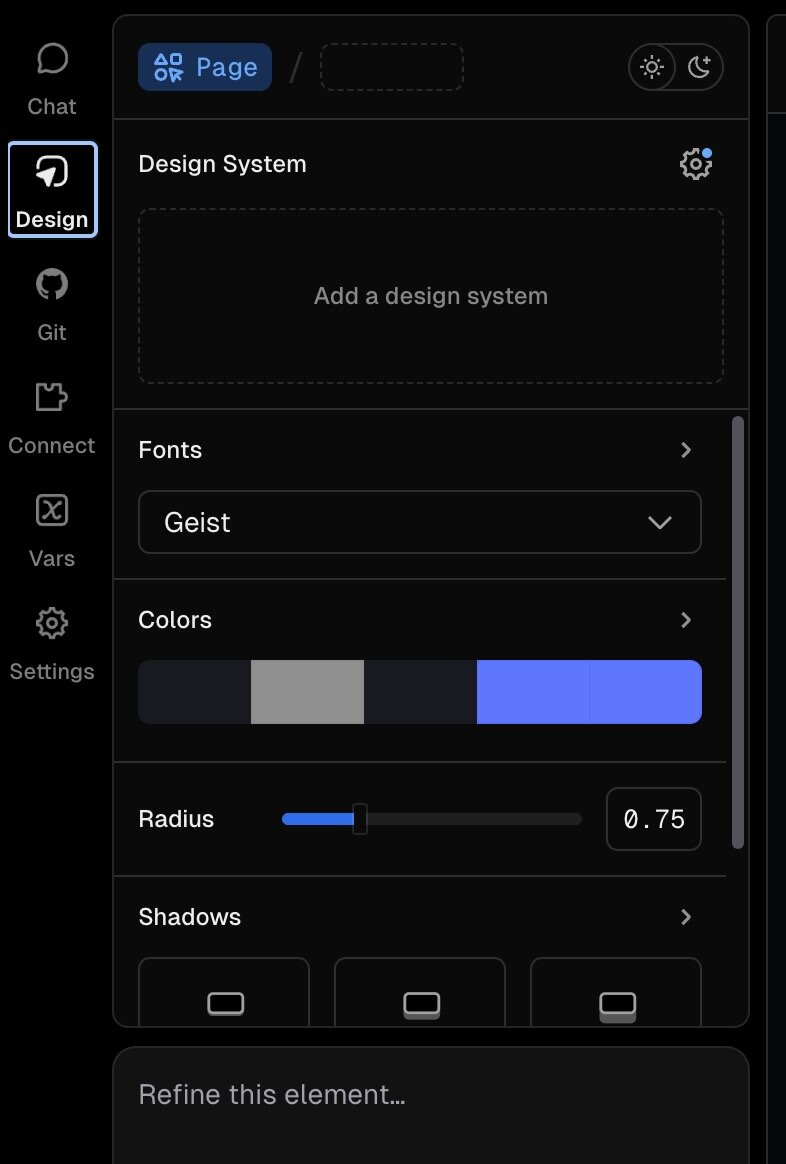
Vercel can integrate and upload code to GitHub, and also has a built in design studio to change colors, fonts, and other design features of the application:
I built this application with V0's free tier, which allows $5 of usage per month and 7 messages per day. Pro plans start at $20/month with $20 of credits and the ability to purchase more.
#Replit: Browser-Based Development Environment (Learning Platform)
Replit is another browser based tool, and based on the number of ads in front of it on Google by competitors, a pretty popular choice for developers.
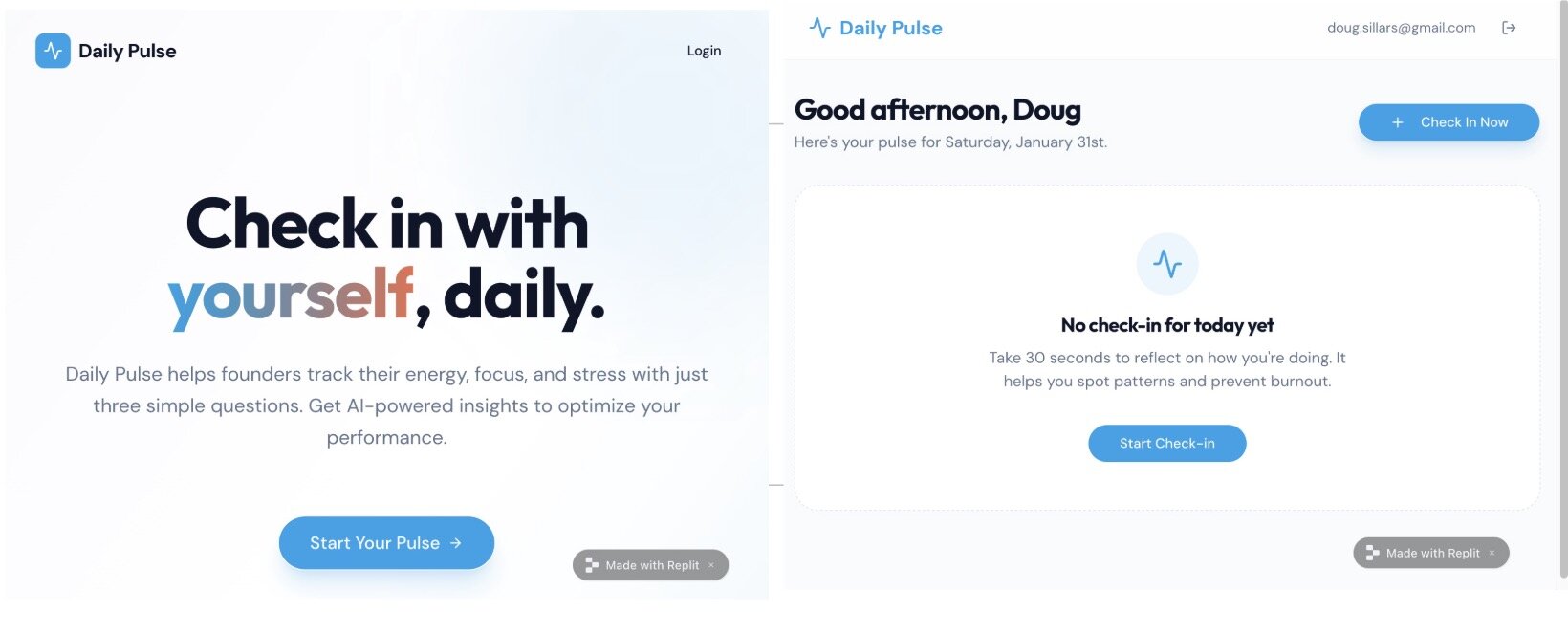
The Replit app had two introductory pages and a required login before I could perform my daily check-in:
Replit chose sliders for the selection:
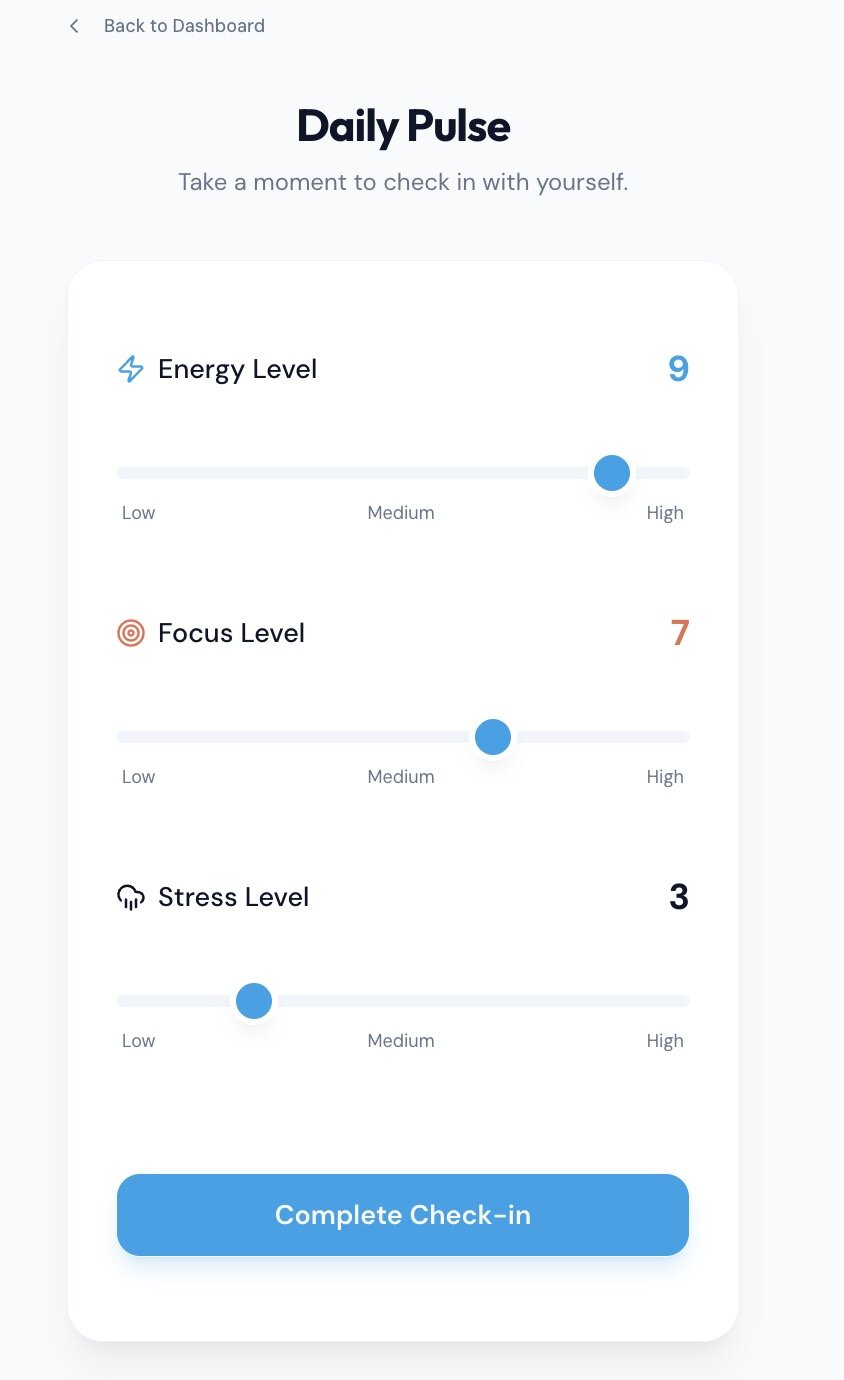
The Replit app was the first that didn't complete the task. The "Complete Check-in" button does nothing, and publishing claimed success but the URL doesn't work. Both issues could likely be resolved with additional prompts, but I wanted to keep prompting consistent across all tools.
Building the app used 335 of my daily free credits. Pro plans start at $20/month, include $25 of credits, and remove the "made with" badge. In my opinion, the app over-engineered the setup with 2 intro pages and required sign-in—then didn't actually score my daily pulse.
#Cursor: AI-Powered Code Editor
Cursor is an IDE-based agentic AI. Installed on your computer, it replaces VS Code (it's a fork, so it looks familiar). Cursor is designed for developers—with autocomplete for coding in addition to vibe coding features.
The prompt generated 3 files: HTML, CSS, and JavaScript. Unlike browser tools, Cursor doesn't automatically publish your app to the web, but the code is on GitHub. You can open the page directly in a browser:
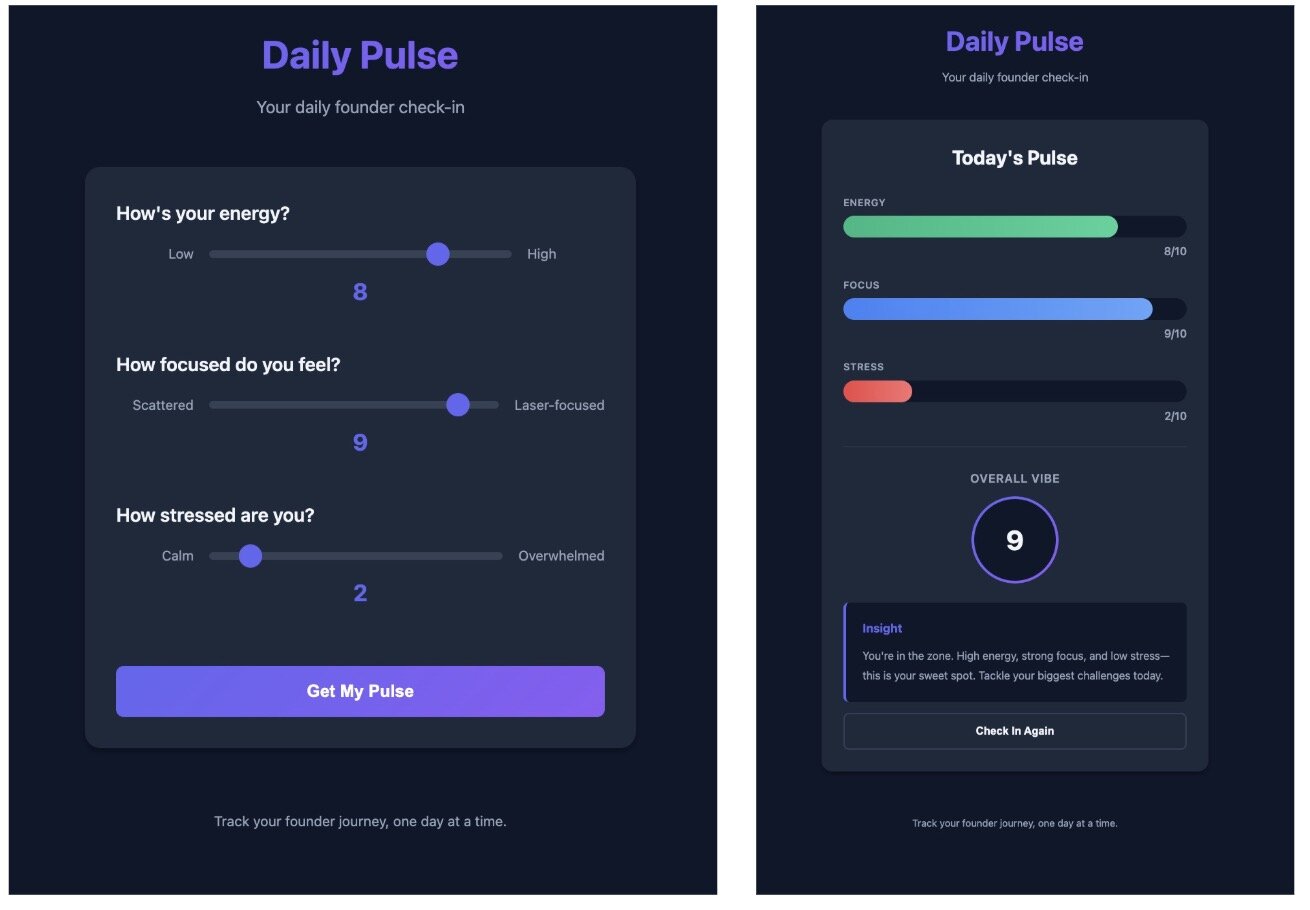
I built this application with Cursor's free tier. Cursor Pro starts at $20/month. (See our Cursor pricing breakdown for details.)
#Claude Code: Terminal-Based AI Agent
Claude Code installs into your terminal and interacts with your code from the command line. It works best alongside a coding IDE and requires basic Git knowledge to manage branches. When creating the sample app, Claude offered several technology stack options:
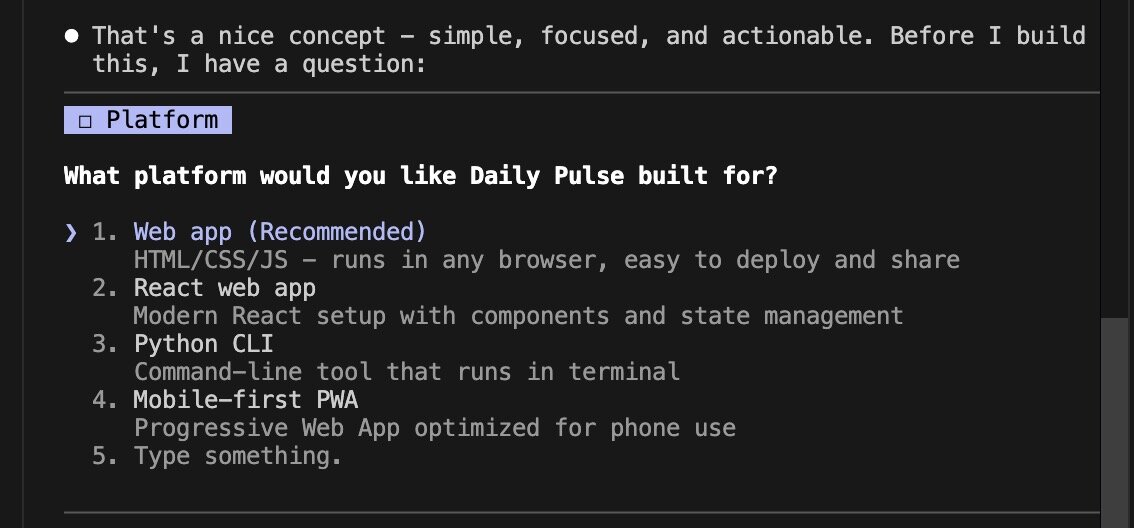
I selected #2 a React application framework.
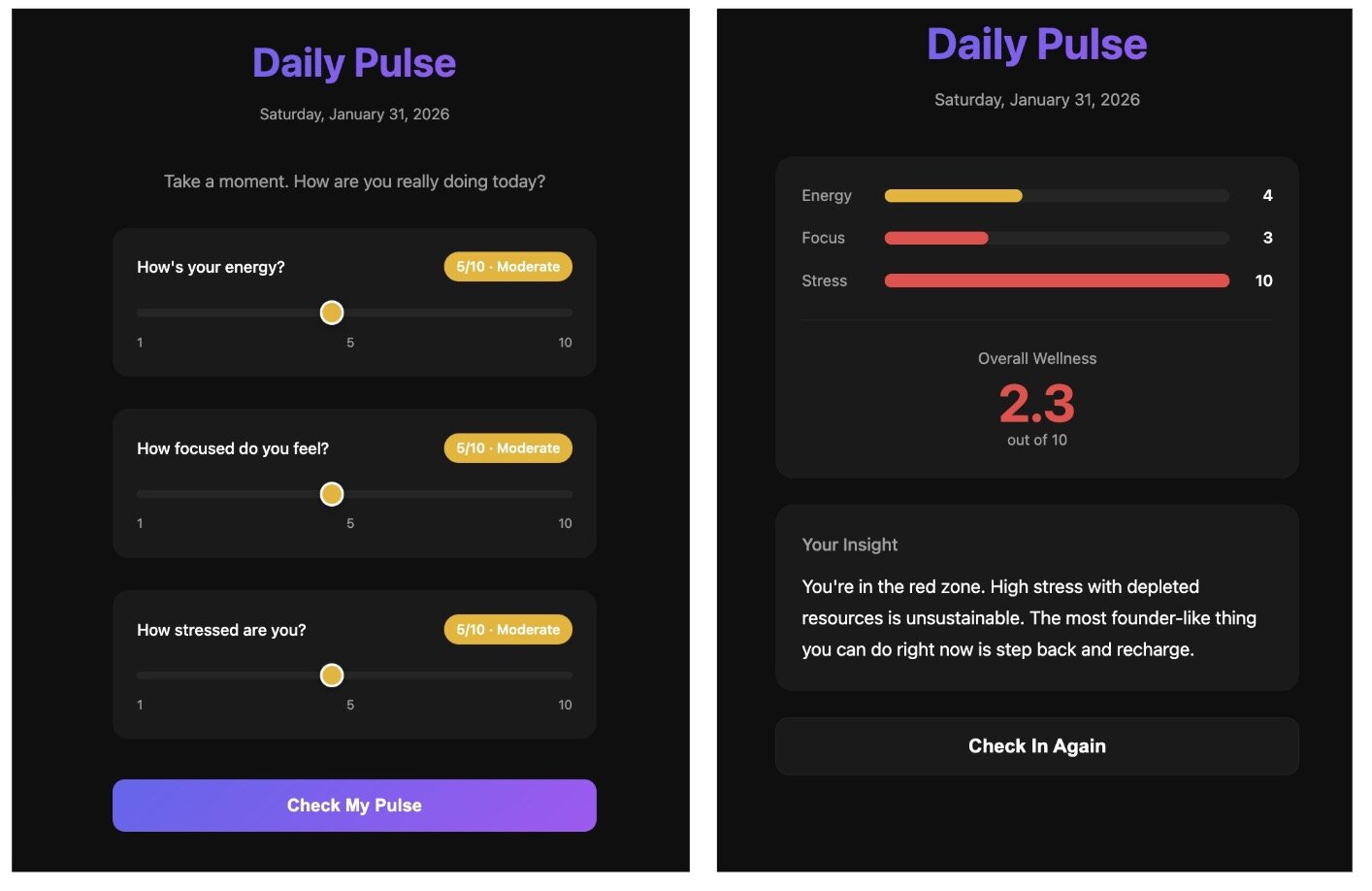
The Claude app uses sliders and works similarly to the other applications. Claude Code costs $20/month for the Pro tier. (See our Claude Code pricing breakdown for details.)
#Windsurf: Agentic AI-First IDE
Windsurf, like Cursor, is a standalone IDE built for vibe coding with AIs.
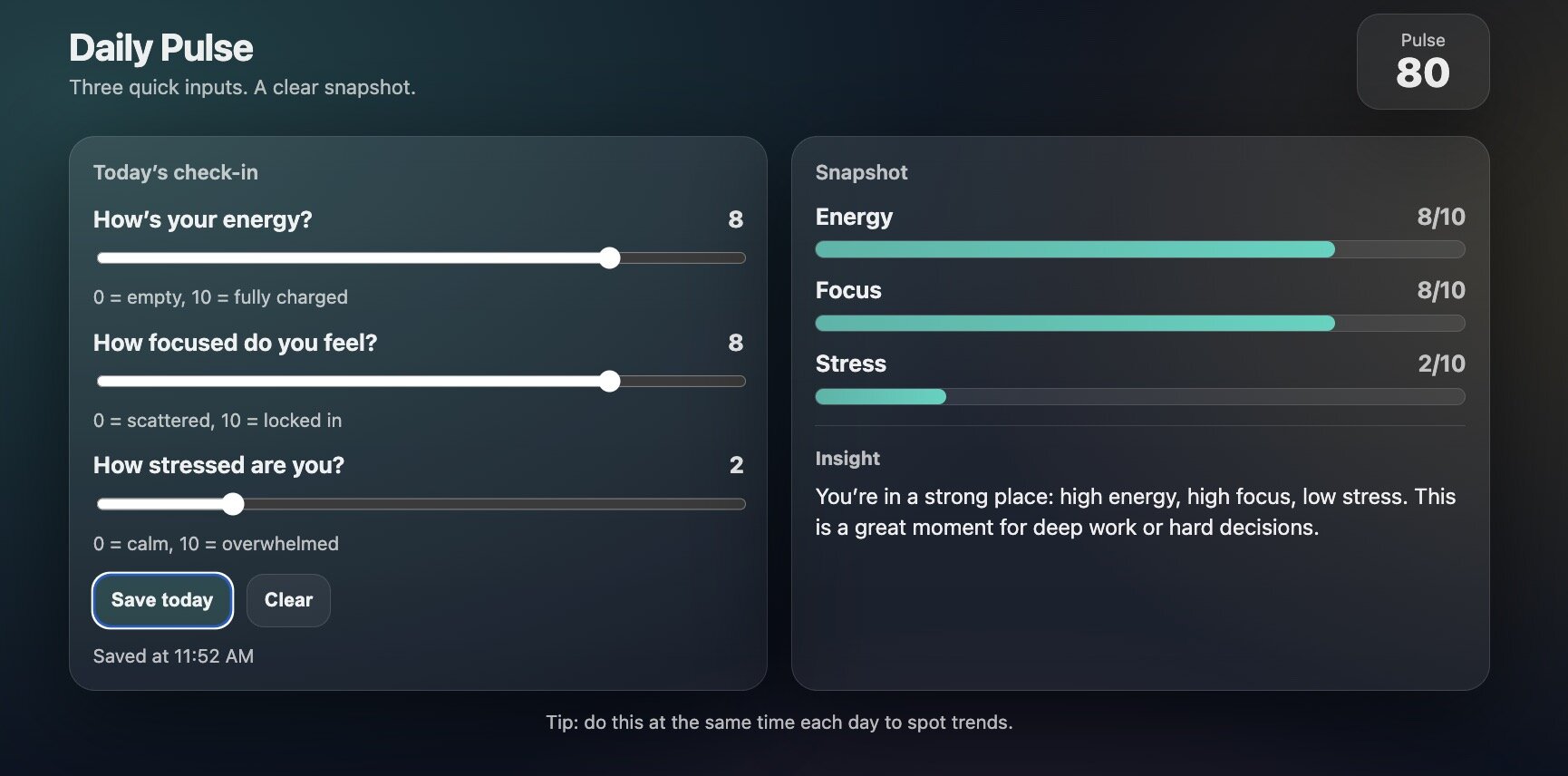
Windsurf also created a Vite application. Interestingly, it built a single-page site with sliders and results on the same page. The code saves results in localStorage, indexed by day—a smart approach that makes adding a database easier as the app grows.
Windsurf starts at $20/month and scales with you and your team.
After building the same app seven times, a pattern emerged: each tool interpreted our prompt differently. This reveals a challenge in vibe coding that no single tool solves.
#The Missing Layer: Why All Tools Need Specs
Building the same application across all these tools revealed fascinating differences. While most results were similar, the variance was significant: entry flows (immediate vs. multi-page signup), UI choices (sliders vs. buttons), and backend approaches (no storage vs. localStorage vs. full Supabase database).
It's clear the AI agents weren't sure what to build, so they made their own choices. Sometimes that's great—but it can also lead to expensive rework.
#Vague Prompts Lead to Vague Implementations
We've all encountered LLMs giving unexpected responses—often due to vague prompts (or, in my case, lazy prompts). The better structured your prompt, the better the response. This effect is magnified in vibe coding: one poorly written prompt, and agents build features you never wanted or needed.
#Specs Turn Ideas into Clear Instructions
In traditional software development, product managers turn vague ideas into clear requirements. The vibe coding equivalent is BrainGrid, an AI Product Planner. BrainGrid translates your prompts into detailed requirements that specify exactly what each feature should do.
For example, entering our daily pulse prompt into BrainGrid produced an epic user story, which was then converted into specific requirements:
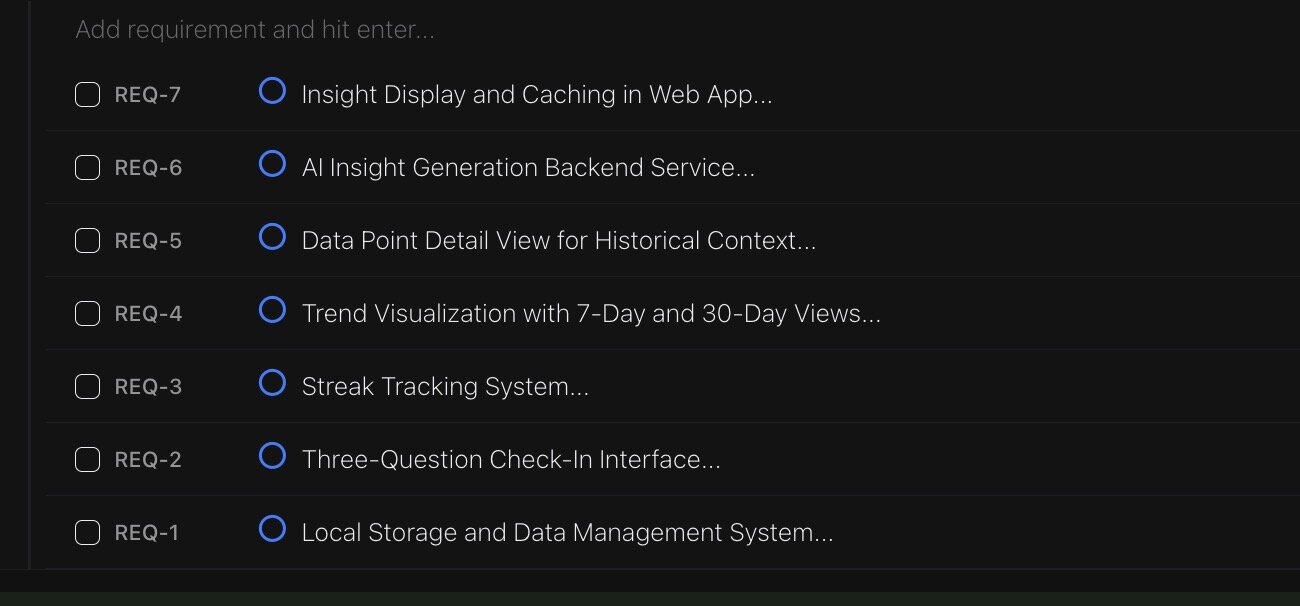
These 8 requirements take the daily pulse much further than any individual AI agent did. BrainGrid's Product Planner made logical extensions: Do we need a database? If we're tracking usage over time, can we build trends and analyze historical data?
By adding these ideas to the epic, agents can build not just an MVP, but a framework for a SaaS that grows and evolves. For our MVP, we'd implement requirements 1 and 2—but they'd build on a solid, future-proof foundation.
BrainGrid creates detailed tasks with prompts that feed directly into your vibe coding tool of choice. Your simple prompts become detailed, specific instructions designed for successful implementation.
#The Spec-First Workflow
By creating specifications, BrainGrid helps you understand exactly what you're building and how you plan to grow. Building an MVP in one prompt is amazing—but taking time to plan and build a foundation first makes growing your SaaS easier over time. (Learn more about this approach in our guide to spec-driven development.)
#Works with Any Tool
The requirements and tasks BrainGrid creates work with all the tools above. BrainGrid's MCP installs into your vibe coding tool of choice, letting agents read requirements and tasks directly.
#Why This Matters for Non-Technical Founders
You want to move fast—but also safely and productively. Using BrainGrid to create your tasks requires more upfront thinking, but the resulting prompts are stronger. You're more likely to get what you want on the first try, avoiding costly rework later.
With or without BrainGrid, you still need to pick your primary vibe coding tool. Here's how to decide.
#Which Tool Should You Choose?
All the tools we tested did a solid job building an MVP. The best tool is the one that matches (or slightly stretches) your technical skills and preferred workflow.
If you have less coding experience: Browser-based tools are excellent. You get working code without worrying about Git. Most include design tools for tweaking colors, fonts, and UI elements right in the browser.
If you're comfortable with Git and want to see the code: IDE-based tools (and Claude Code as a terminal agent) are a great choice. They let you work in the code like a developer while still leveraging AI agents to build new features.
No matter which tool you choose: BrainGrid helps create better prompts for your agents. Quality prompts lead to quality code—and fewer expensive rebuilds.
Best of luck on your vibe coding journey!
#Frequently Asked Questions
#What are the best vibe coding tools for beginners?
Bolt.new and Lovable are best for complete beginners because they handle Git and deployment automatically in the browser. You describe your app, they build and deploy it without requiring terminal commands or version control knowledge. For beginners willing to learn basic Git, Cursor offers a good middle ground with visual code editing and AI autocomplete.
#Which vibe coding tool is best for non-technical founders?
Claude Code is best for non-technical founders who think in product requirements rather than code syntax. You describe features in detail and Claude executes autonomously across multiple files. Alternatively, Bolt.new works well if you prioritize speed and don't need to understand the underlying code—great for validating ideas quickly before committing to deeper learning.
#How do I choose between Cursor and Claude Code?
Choose Cursor if you want to see and understand code as it's written—you'll review changes line-by-line and learn programming patterns along the way. Choose Claude Code if you prefer describing outcomes and letting AI handle implementation details autonomously. Both cost $20/month, so the decision comes down to control preference: hands-on (Cursor) vs autonomous execution (Claude Code). For a deeper comparison, see our Claude Code vs Cursor guide.
#What's the difference between browser-based and IDE-based AI coding tools?
Browser-based tools (Bolt, Lovable, Replit, V0) run entirely in your web browser with zero setup—no installing software or configuring environments. IDE-based tools (Cursor, Claude Code, Windsurf) require local installation and basic Git knowledge but give you full control over your codebase. Browser tools are faster to start but have limitations for complex projects; IDE tools have a learning curve but work better for professional-grade applications.
#Do I need to know Git to use vibe coding tools?
Browser-based tools require no Git knowledge—they handle version control automatically. IDE-based tools benefit from basic Git understanding (commit, branch, revert) which takes 1-2 days to learn. You can start without Git, but you'll hit limitations within a week when you need to undo mistakes or manage different feature versions safely.
#How much do vibe coding tools cost per month?
Base plans cost $15-20/month for most tools, but realistic budgets range from $60-100/month for part-time building to $180-300/month for full-time development. The difference comes from usage overages (exceeding monthly AI request limits), hosting costs, database services, and supporting tools. Set spending caps in tool settings to avoid surprise bills—start with $50-100 cap and adjust based on your building pace.
#When should I graduate from Lovable to professional tools?
Graduate when you hit customization limits (usually after 2-3 months of active building) or when code export becomes necessary. Signs you've outgrown Lovable: spending more time working around platform limitations than building features, needing custom backend logic the platform doesn't support, or requiring integrations Lovable doesn't offer. Migrate to Cursor or Claude Code when you need full control over your codebase and professional deployment workflows.
#Can I use multiple vibe coding tools together?
Yes, most successful builders use multiple tools strategically: Bolt for quick prototypes, Cursor or Claude Code for production features, v0 for polished UI components, and BrainGrid for spec creation. Start with one primary tool for 2-4 weeks until comfortable, then add specialized tools for specific tasks. Using 2-3 tools in combination is common—the key is having a clear primary tool and adding others only when you hit limitations.
#What Are Common Pitfalls in Vibe Coding?
Pitfall 1: Blindly Accepting AI Code
AI agents will give you code and explain how it works—but they can be wrong. Review the code and verify it does what you expect. Blindly accepting changes can move things forward, but also break things in ways the AI can't fix—leading to frustrating rabbit holes and lost time.
Pitfall 2: Skipping Version Control (Git)
Made a mistake? (Maybe you ignored Pitfall 1.) Version control lets you "go back" to the working version and try your prompts again. Without it, one bad change can cost hours of rework.
Pitfall 3: Building Without Clear Requirements
In the daily-pulse example, the requirements seemed clear—but each agent interpreted them differently. The more detailed your prompt, the less likely agents will get "creative" with unwanted features.
Pitfall 4: Not Setting Spending Caps
All vibe tools have monthly limits. You can extend spending, but set a monthly cap—otherwise, you might be surprised by your bill.
Pitfall 5: Ignoring Security Until Launch
Vibe coding focuses on product, but you must also ensure code security. Work with your agents to review security before launch. You don't want to ship a SaaS with a database wide open to the internet.
About the Author
Doug has been helping developers build across mobile, DevOps, and AI for the last 20+ years. An O'Reilly author, international speaker, and a prolific blogger, he relishes in simplifying the complex.
Want to discuss AI coding workflows or share your experiences? Find me on X or connect on LinkedIn.
Keep Reading



Ready to build without the back-and-forth?
Turn messy thoughts into engineering-grade prompts that coding agents can nail the first time.
Re-love coding with AI