
Claude Code Pricing 2026: Pro vs Max vs Teams Compared
Claude Code Pro is $20/mo, Max is $100-200, Teams $150/seat. We break down token costs, real-world usage, and which plan actually saves you money. Updated March 2026.

AI coding assistants like Claude Code, ChatGPT, Cursor, and Windsurf are changing how founders ship software. These tools accelerate development for experienced engineers and enable non-technical SaaS founders to build working prototypes without hiring a dev team.
But how much does it all cost? How much will a team spend on tools like Claude Code, and how can they prevent bill shock at the end of the month from overages? Read on to understand how to use Claude Code efficiently and avoid burning tokens.
#How Much Does Claude Code Cost? Quick Overview
Visiting Claude.ai lets you chat with Claude's LLM (by default, the Sonnet 4.5 model).
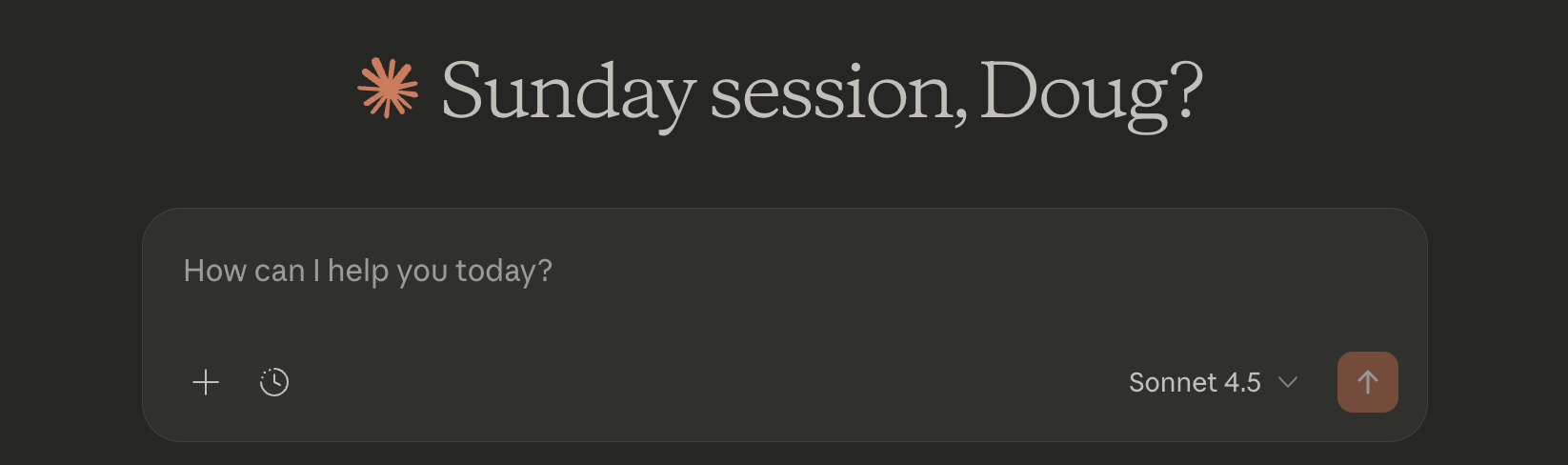
But free Claude access does NOT include Claude Code. Access to Claude Code requires a monthly subscription.
| Plan | Cost | Claude Code Access | Best For |
|---|---|---|---|
| Pro | $20/mo | ✓ Full access | Daily coding, solo founders |
| Max 5x | $100/mo | ✓ Extended limits | Heavy users, complex projects |
| Max 20x | $200/mo | ✓ Maximum capacity | Power users, all-day coding |
| Teams | $150/user/mo | ✓ Premium seats | Organizations, contractors |
| API-only | Pay-per-token | Via terminal | Custom integrations |
Note that Anthropic offers yearly discounts on annual subscriptions - Claude Code Pro is $17/mo (15% savings) when purchased annually.
Each Claude Code subscription includes session limits—a maximum number of prompts you can send within a rolling 5-hour window. Claude Code Pro subscribers can expect a maximum 45 messages per 5-hour window. However, coding prompts consume more tokens than simple chat queries, so you'll realistically get 10-40 prompts per window.
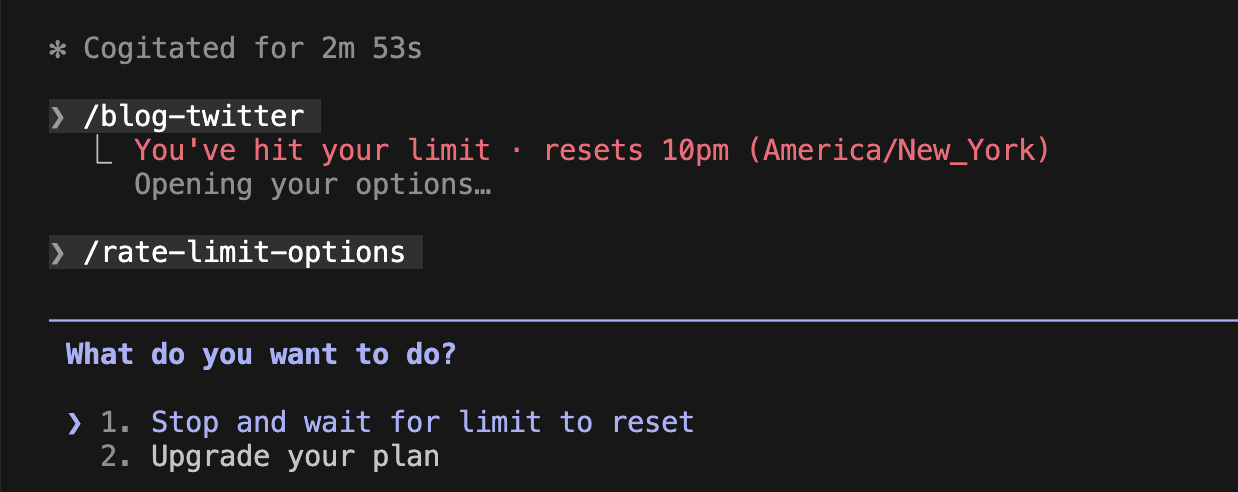
Here's the worst feeling: You're in flow state, shipping a critical feature, and Claude Code says "You've reached your usage limit. Try again in 3 hours." Your momentum is gone. Your code progress halts for hours.
Why this matters: If you're racing to a demo, investor meeting, or launch deadline, losing 2-3 hours could mean missing your target.
You can turn on extra usage in your settings to keep Claude Code going. Set a monthly maximum you're comfortable with. Anthropic's documentation reports the average cost is $6/day, with 90% of developers under $12/day.
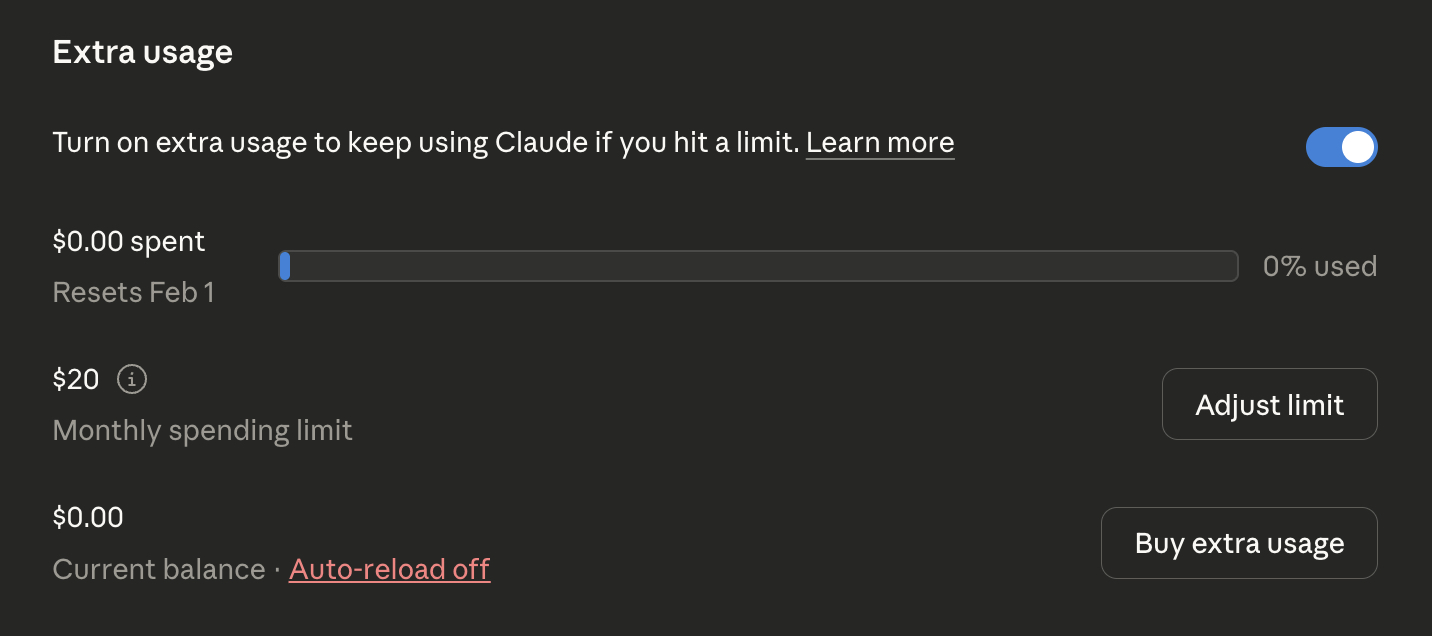
Any extra usage is paid at the API token pricing:
#API Token Pricing
| Model | Input (per 1M tokens) | Output (per 1M tokens) |
|---|---|---|
| Haiku 4.5 | $1 | $5 |
| Sonnet 4.5 | $3 | $15 |
| Opus 4.5 | $5 | $25 |
#Claude Pro vs Max: Which Plan Should You Choose?
The Max plans cost more but include significantly more token capacity. Claude Max 5x costs $100/month and includes 5x the tokens of Pro. Claude Max 20x gives you 20x the tokens for $200/month.
For regular daily coding, troubleshooting, and planning, Claude Pro is sufficient. You may find a few days of heavy coding leads to extra usage charges.
When to upgrade to Max 5x: If you're hitting Pro's limits daily and spending $4+ on extra usage, Max 5x becomes cost-effective. Here's the math:
- $4/day × 22 working days = $88 in overages
- Add your $20 Pro subscription = $108/month total
- Max 5x costs $100/month flat with 5x the capacity
If your overages consistently exceed $80/month, Max 5x saves money and removes the usage anxiety.
#Claude Code Teams and Enterprise: When Do You Need Them?
Claude Code Teams costs $150/month per developer with a minimum of 5 seats. That means the minimum monthly cost is $750/month.
Token capacity sits between Pro and Max 5x. The real benefit is security: Model Context Protocol (MCP) servers are configured at the team level, so when a developer leaves, you automatically revoke their access to internal databases and tooling. Teams also provides detailed usage auditing.
The decision framework:
- Two founders building a product? Use two individual accounts.
- Growing past 5 developers? Security, permissioning, and data controls become critical. Teams makes sense.
- Need SOC2 compliance or audit trails? Teams is the path forward.
#How to Reduce Claude Code Costs: Practical Efficiency Strategies
Now that you know the pricing tiers, let's talk about the real cost lever: how efficiently you use tokens.
Every question, code review, and bug fix burns tokens. But you can cut how many tokens each query consumes. These strategies can reduce your bill by 50-80%.
#Use /clear between tasks
The /clear command tells Claude Code to forget the current conversation context. Say you're squashing bugs: after fixing a frontend CSS issue, you jump to a backend database query. There's no need for Claude to keep the CSS conversation in memory. Clear it out for better results and fewer tokens.
When to /clear: Switching between unrelated files, moving from frontend to backend, or jumping from feature work to bug fixes. If Claude's suggestions start referencing the wrong context, you waited too long.
#Use /compact to summarize the conversation
When building a feature over several iterations, every code snippet gets shared every time. The context window grows larger, meaning more tokens per question.
The /compact command tells Claude Code to summarize the current chat and start fresh with the "Cliff's Notes" version. The conversation continues with all pertinent details but uses a fraction of the tokens.
Rule of thumb: Use /compact after 10-15 messages or when /cost shows over 5M tokens in your session. You'll know you waited too long when Claude starts repeating itself or missing context from earlier.
#Check your usage with /cost
The /cost slash command shows token usage for your current session. Use this to understand your usage patterns and identify which tasks burn the most tokens.
#Configure .claudeignore
Just like .gitignore tells Git which files to skip, .claudeignore tells Claude what files to ignore when analyzing your codebase. Are you accidentally sending your entire node_modules folder to Claude with every prompt? That's 50-90% wasted tokens.
Action: Create .claudeignore in your project root with these lines:
1.gitignore
2node_modules/
3.next/
4build/
5dist/
6*.log
7.env*
8.git/
Run /cost before and after to verify the reduction.
#Model Selection Strategy
Different Claude models have different costs. Match the model to the task:
| Task Type | Model | Why |
|---|---|---|
| Autocomplete, simple edits | Haiku 4.5 | Fastest, cheapest |
| Feature implementation | Sonnet 4.5 | Best balance |
| Complex debugging | Sonnet 4.5 | Usually sufficient |
| Architecture decisions | Opus 4.5 | Worth the premium |
| Critical production code | Opus 4.5 | When it matters most |
The rule: Sonnet handles 80% of your work. Reserve Opus for complex reasoning tasks where Sonnet gets stuck. This alone can reduce token costs by 30-40%.
When to break the rule: If Haiku gives buggy code twice, jump straight to Sonnet. Don't burn three cheap iterations when one good Sonnet response costs less.
#The Biggest Token Saver: Spec-Driven Development
All the tactics above (clearing, compacting, model switching) save 10-40% on tokens. But they miss the real problem: rebuilding the same feature over and over because the requirements weren't clear. Spec-driven development solves this.
The expensive way:
- Prompt: "Build user authentication"
- Claude builds it (5,000 tokens)
- You: "Actually, I need email verification"
- Claude rebuilds (6,000 tokens)
- You: "And password reset"
- Claude rebuilds again (7,000 tokens)
Result: 18,000 tokens, 3 rebuilds, one frustrated afternoon.
Spec-first workflow:
- Write a clear requirement before coding
- Break it into specific tasks
- Implement each task with Claude understanding the full context
With the right prompt built from a clear specification, you can build the feature correctly the first time. That's 60-80% token savings.
BrainGrid formalizes this workflow, turning vague ideas into structured specs that Claude can implement in one pass. Give BrainGrid a prompt of what you'd like to build, and BrainGrid asks implementation questions and feature questions, just like a product manager fleshing out the details of what should be built. A requirements document is created, which you can use to generate a list of tasks.
Connecting BrainGrid to Claude Code allows Claude Code to read the requirements and tasks, then implement them directly from the command line. For the full setup, see our Claude Code MCP servers guide.
Spec-driven development ensures the prompts provided to Claude Code are complete and will build the expected feature the first time. Eliminate the iteration rabbit hole to save a huge percentage of token usage.
#Is Claude Code Worth It? The Solo Founder's Decision Framework
If you value your time at $50/hour, Claude Code needs to save you 24 minutes per month to break even. That's one debugging session.
For a solo founder shipping products, a $20 Claude Code Pro account is worth it if it saves one hour of debugging. Any additional time savings from feature coding, prototyping, or writing tests is bonus ROI.
If Claude Code helps you shave 10-30% from each dev cycle (or increase output per cycle by 10-30%), that's $20 very well spent.
Maximize your $20/month: Pair Claude Code with BrainGrid to turn ideas into shippable specs in minutes, or integrate with other agentic tools like Cursor to further accelerate how quickly you and your team ship.
#Frequently Asked Questions
#How much does Claude Code cost?
Claude Code Pro is $20/month ($17/month when paid yearly). Claude Code Max ranges from $100-200/month for power users.
#Is Claude Code free?
No. A free Claude account allows chat on the web, but no access to Claude Code. You need a paid subscription.
#What's the difference between Claude Pro and Max?
Claude Pro is $20/month. Claude Max starts at $100/month and includes 5x the token capacity. Upgrade trigger: If you're spending $80+/month on overages, Max 5x is more cost-effective.
#Why is Claude Code using so many tokens?
When iterating on a problem, Claude Code processes the full conversation context with each response. Long conversations with lots of code snippets burn tokens fast. Use /clear between tasks and /compact during long sessions to reduce usage.
#How do I reduce Claude Code costs?
The biggest lever is reducing iterations. Great prompts from tools like BrainGrid's spec-driven development ensure you build features correctly the first time. Fewer iterations = fewer tokens = lower costs.
#Is Claude Code worth it?
If it saves you one hour of debugging per month, you've broken even (assuming your time is worth $20+/hour). Most founders report saving 5-10 hours monthly. Try Pro for 30 days and track time saved vs. rate limit waits.
#Claude Code vs Cursor: which is cheaper?
Both have a $20/month basic plan. Cursor includes an IDE and routes queries to different LLMs automatically. Claude Code gives you direct access to Claude's full model lineup. For most founders, pick based on workflow preference, not price. See our detailed Cursor pricing breakdown for more.
#What are Claude Code rate limits?
Claude Code has a 5-hour rolling window for token usage. Hit the limit and you'll see "Try again in X hours." Avoid surprises: Enable extra usage with a monthly cap (Settings > Billing). If you're regularly hitting limits, consider Max 5x.
About the Author
Doug has been helping developers build across mobile, DevOps, and AI for the last 20+ years. An O'Reilly author, international speaker, and a prolific blogger, he relishes in simplifying the complex.
Want to discuss AI coding workflows or share your experiences? Find me on X or connect on LinkedIn.
Keep Reading

Ready to build without the back-and-forth?
Turn messy thoughts into engineering-grade prompts that coding agents can nail the first time.
Re-love coding with AI