
How I Vibe Coded a SaaS MVP in a Weekend (Step by Step)
From startup idea to working immigration concierge MVP in one weekend using AI. How spec-driven development with BrainGrid made vibe coding actually work.

I spent a week hunting for a SaaS idea I could build in a weekend. Following the tips in our post, How to Get SaaS Product Ideas, I lurked on IdeaBrowser -- a site that posts a scored startup idea every day.
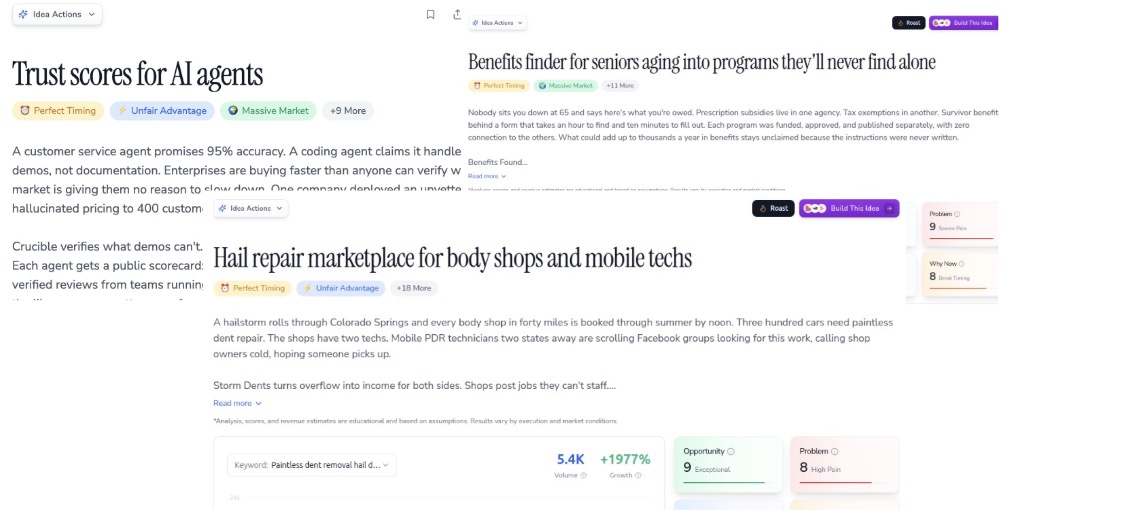
None of the ideas resonated with me. But I dutifully read every line of the proposals. One of the tips that other founders recommend is solving a problem that you have faced. "Benefits finder for seniors" -- I don't know anything about senior benefits. But the pattern grabbed me: helping people navigate unfamiliar systems. That's when I remembered my own move to the UK.
When I landed in the UK in 2020, it was the height of the pandemic. I had my visa -- but I needed NHS numbers, driver's licenses, utilities, banking. Nobody tells you how any of it works. What if there was an app for that?
Let's build an immigration concierge application that helps people moving to a new country navigate the processes and systems.
The idea is clear. But how do you go from concept to working app without engineering experience?
#How will we get started?
Vibe coding tools now let non-coding founders build SaaS MVPs. You describe what you want in plain English. The tool builds it. But AI tools sometimes give bad advice or incorrect information. The best way to get good results is through clear, precise prompting.
The same holds for writing software. Just type what you want and the bot builds it. But AI agents can't read your mind. Leave out one crucial detail and the entire feature gets built wrong. When I build without planning, I focus on getting something I can see -- rather than building a foundation for future growth. Sometimes this works, but other times everything feels patched together and the code looks rickety.
To build my SaaS, I want to start with a solid foundation -- even if it means I won't see a working UI right away. Rather than jumping in and building a tool that works for the UK, we need a foundation: the ability to add many countries. Billing is easier to wire in early. Should there be an admin panel to change and add features?
These are the essential "behind the scenes" pieces that let you scale. Build them now, and adding your second country takes hours instead of weeks. But am I missing anything else? I could really use a product manager to help me flesh out any other pieces I'm missing.
#Product Management
In larger organizations, a product manager takes each idea, turns it into a story, and builds requirements for the development team. This process takes hours of meetings -- refining ideas, debating edge cases, clarifying scope -- but it works. The better everything is spelled out in the requirements, the better the first version of the software will be.
But it's just me, my laptop, and my idea. How do I get that same rigor without the hours of meetings? I'll use BrainGrid to turn my prompts into requirements and tasks. BrainGrid's AI Product Planner takes my prompts and adds details I wouldn't have thought of -- fewer meetings, better specs, less rebuilding. That's spec-driven development.
#What Does the MVP Actually Look Like?
My initial prompt to BrainGrid describes the task I want to undertake:
1Help me create a product plan for: internationalConcierge
2
3International concierge. When I moved to the UK - I got my visa, and was allowed to enter the country. I rented a place to live. But there was no manual on what to do next. How do I get my NHS number (did you know there are 2 NHS numbers you need?). How do I get private insurance? A drivers license? Banking? What else to do arrivals to a new country need to become assimilated into the system.
4
5Im imagining an app that would compile checklists for new arrivals to a country, available as a subscription (for individuals) or sold to companies - who move many employees to a new country. Let's spec out a web application that helps newcomers to a country learn how to navigate the systems that are new to them.
If I had jumped straight into Claude Code, it would have built a UI just for the UK. That looks great... until you want to add the US, Canada, or Australia. Then you realize you've created a vibe coded mess -- no database structure for multiple countries, no admin panel. You'd be forced to rebuild everything.
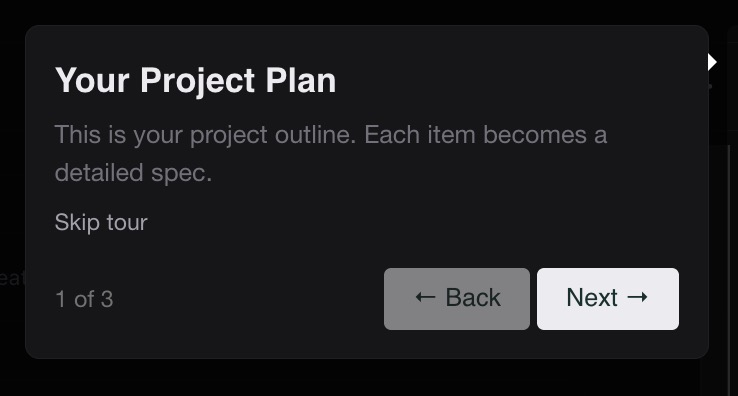
BrainGrid took my rough idea and created an Epic user story (EPIC-1) -- a high-level feature that groups related requirements. The full epic lives in the GitHub repository. Here's the one-line synopsis: "Help people relocating internationally get set up in their new country by providing clear, country-specific checklists for healthcare, banking, licensing, and insurance." The Epic described exactly what I'm hoping to build.
With the Epic created, BrainGrid is ready to create requirements documentation to make the epic come to life.
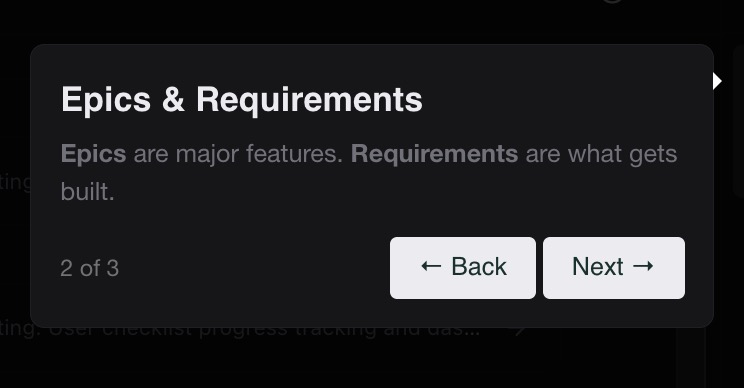
With just one click, BrainGrid begins creating the requirements for the epic user story. After a few minutes, it has come up with 5 requirements:
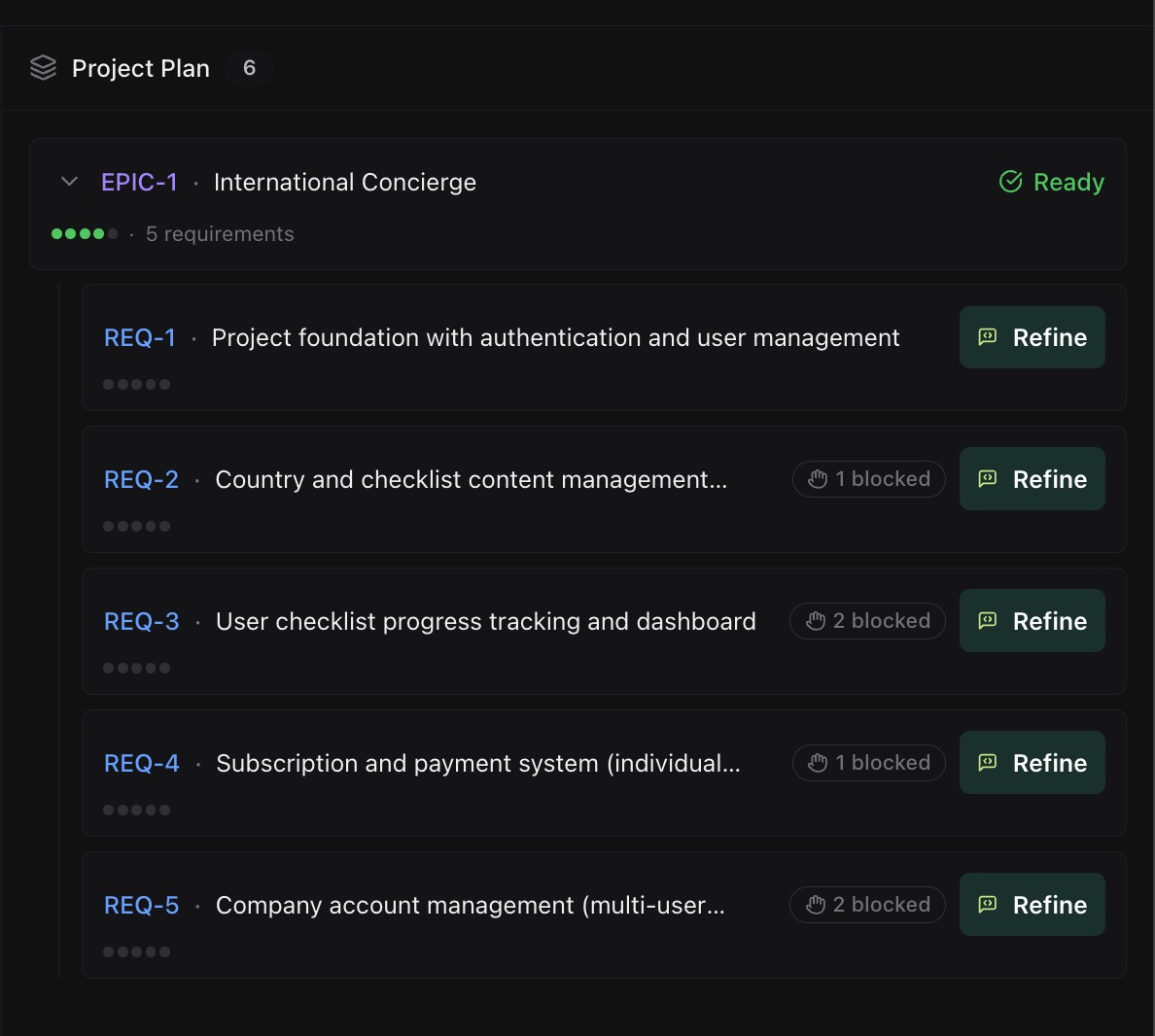
We can see from the requirement names that BrainGrid is thinking about storage, multiple countries, checklists, payments, and enterprise account management. The glue that holds it all together -- but not the stuff you think about off the bat.
This foundation will make expanding the application an organic process rather than a lot of band-aid fixes for stuff I would have initially missed.
Now comes the fun part: turning these requirements into working code.
#Vibe Code the MVP
Once we have the requirements, you can read each requirement and make any changes you need (the REFINE step). With the first few requirements in EPIC-1, there are no changes needed. Once you have refined (or just approved the requirement), we can Start Building.

In this step, BrainGrid takes your detailed requirement and breaks it down into tasks -- the steps required to build the requirement into my application. This is similar to a sprint planning meeting (where dev teams break features into technical tasks).
BrainGrid follows these steps:
- Phase 1: Gather Context
- Phase 2: Plan Tasks
- Phase 3: Create Tasks
Instead of an exhausting multi-hour meeting with the whole team, BrainGrid builds out the tasks required to complete the requirement in just a few minutes.
I will build my application using Claude Code. I have connected BrainGrid to Claude, so Claude can just read the tasks that have been created.
Each of the requirements for EPIC-1 generate around 10 tasks to be completed. BrainGrid creates a summary describing the 10 tasks, why they are important, what they do, and why the order of the tasks matters:
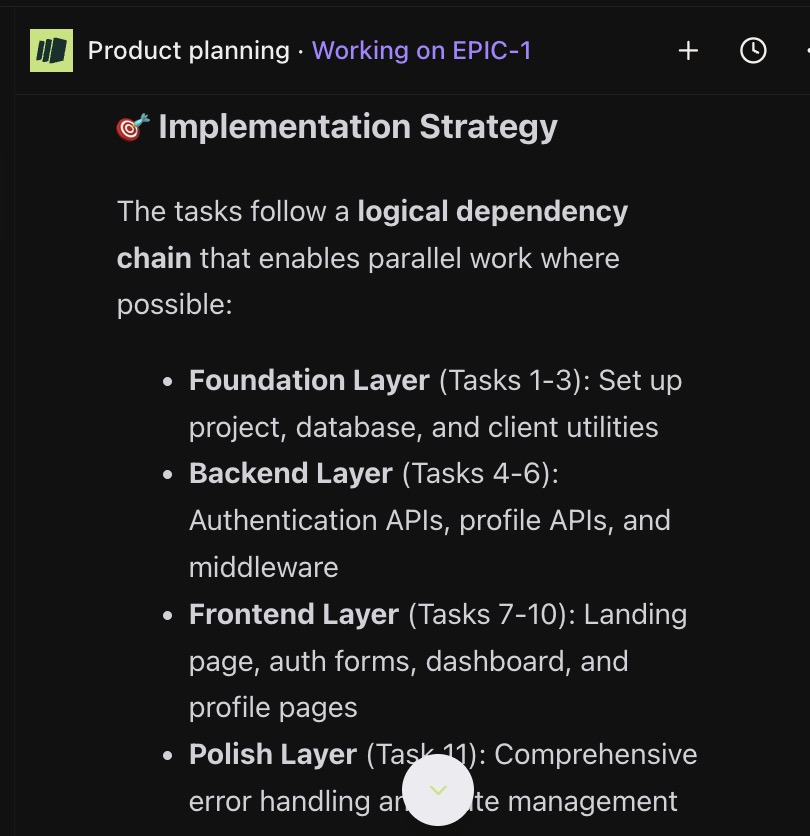
BrainGrid also documents "highlights" in the tasks:
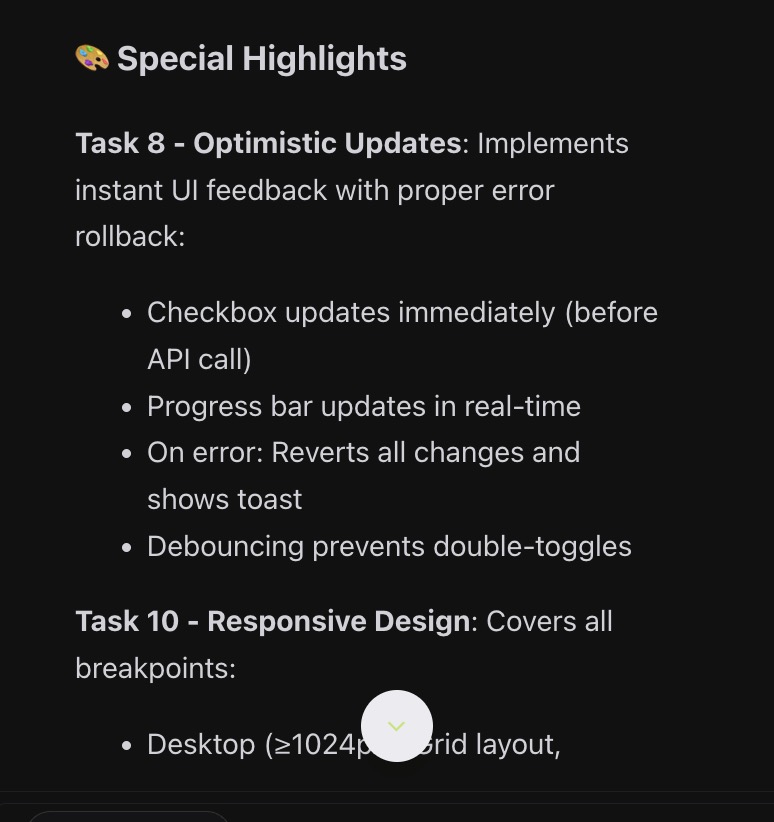
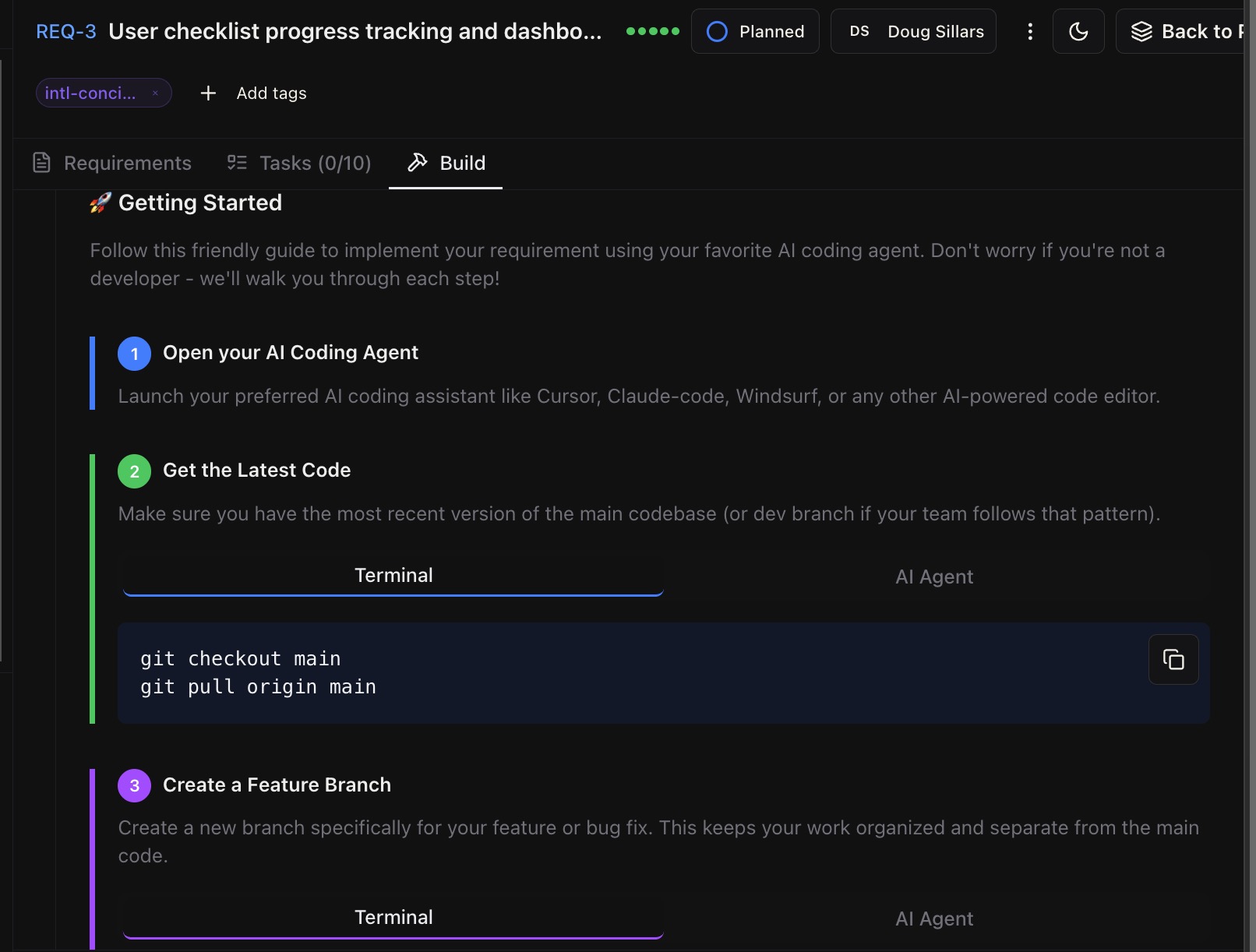
This early on, I would not be thinking about error messages or responsive design. But with BrainGrid, it's all in there. There is also an implementation guide to make sure the steps are followed properly and everything is completed as expected:
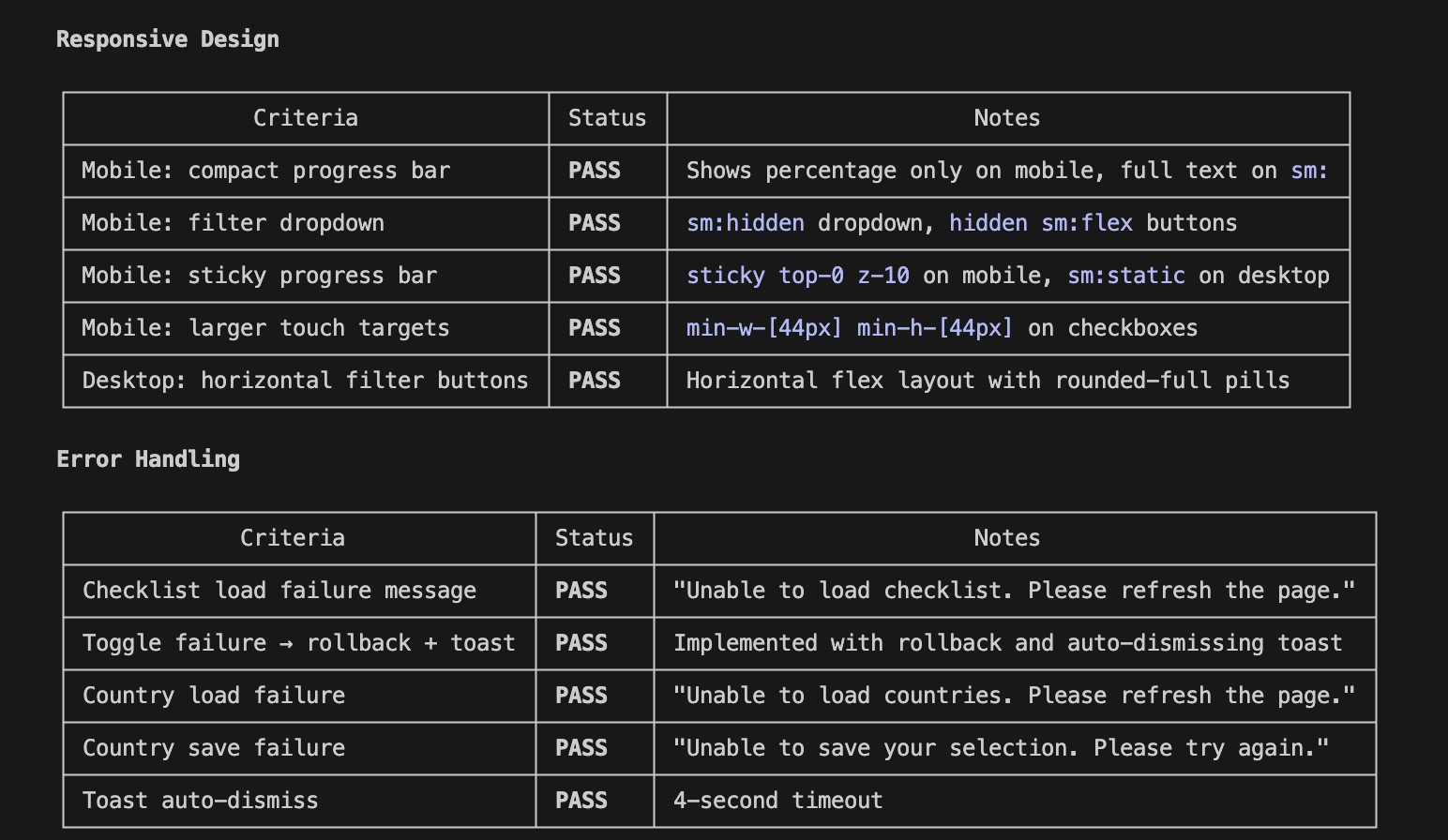
At the end of the implementation guide, BrainGrid gives you a command to audit the acceptance criteria:
1acceptance review https://github.com/[YOUR-REPO]/pull/[PR-NUMBER] against REQ-3
BrainGrid and Claude check the requirements and test the code to ensure it meets the acceptance criteria. Claude generates a report showing the criteria were met. This closes the loop: spec, code, validation, ship.
#Building progress
I created EPIC-1 on a Friday afternoon, and BrainGrid/Claude created the requirements and tasks. Friday evening, while streaming a movie, all of the tasks for requirements 1&2 were completed.
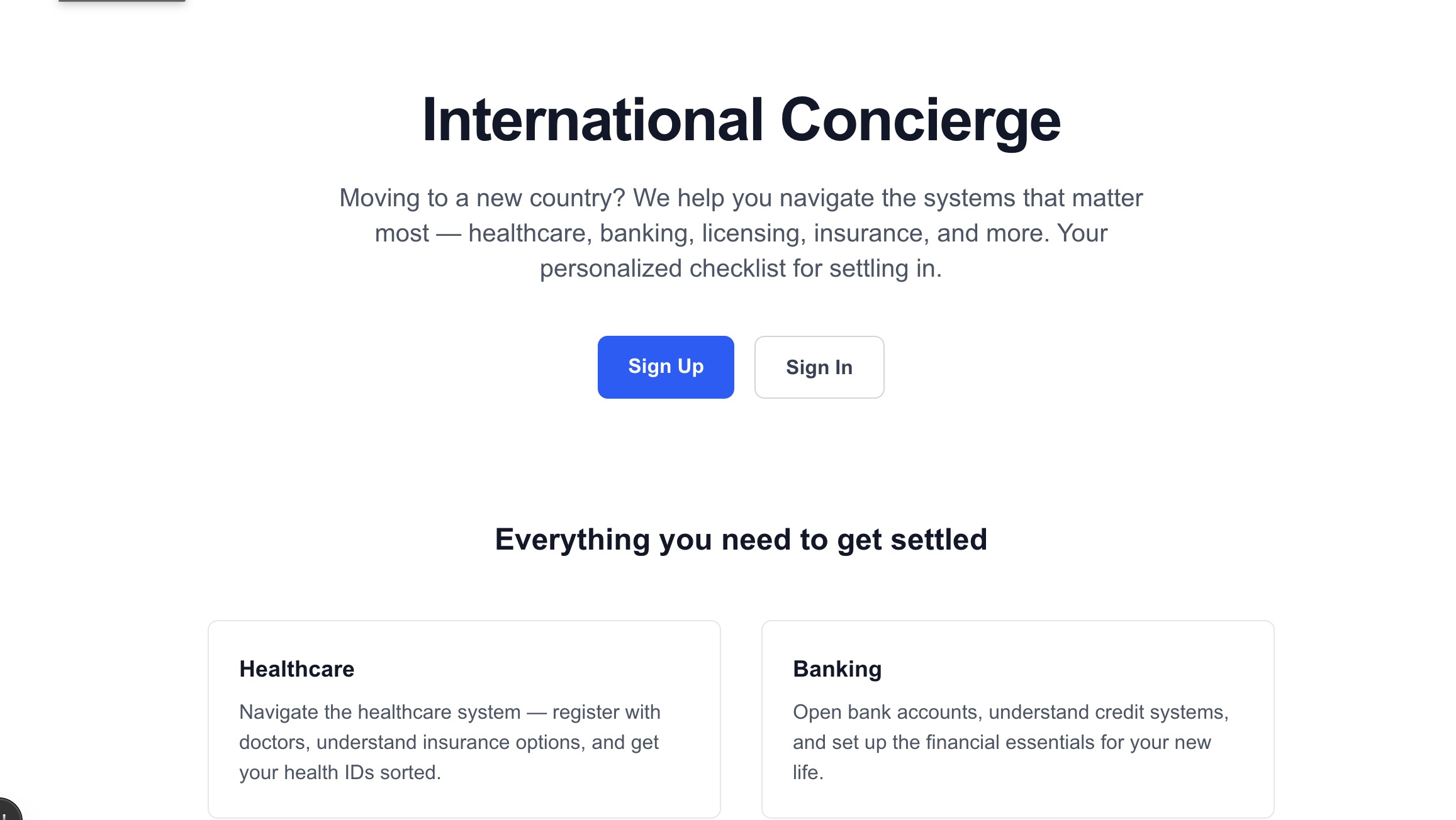
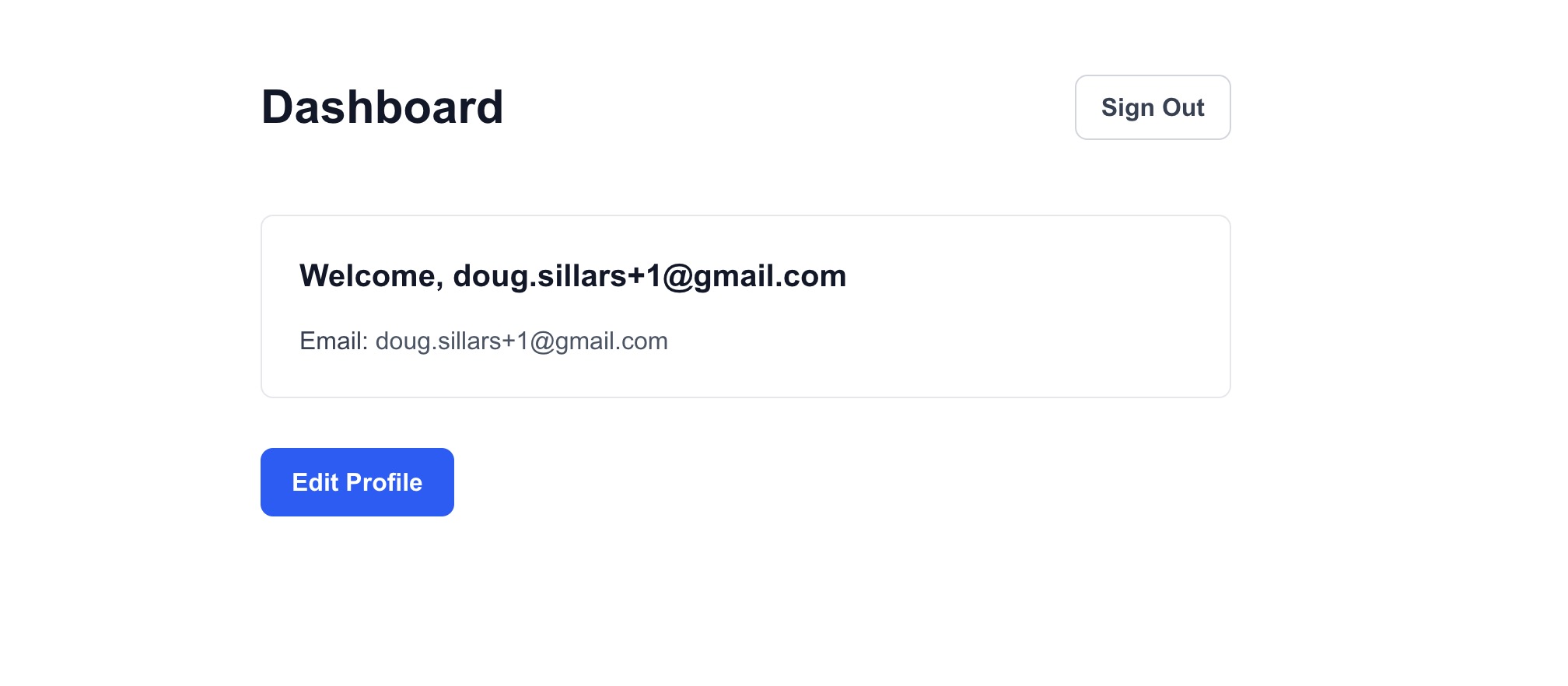
Progress is being made -- it's nothing beautiful yet, but with minimal effort on my part, feeding the BrainGrid tasks into Claude Code has created the outlines of a great looking product.
I continued this process through the 5 requirements for EPIC-1. Upon completion, I have a fully working MVP prototype -- ready to show potential customers and collect early feedback. (To get the application to work, I did run database migrations at Supabase (Claude Code provided the SQL for these), but I did not complete the Stripe integration.)
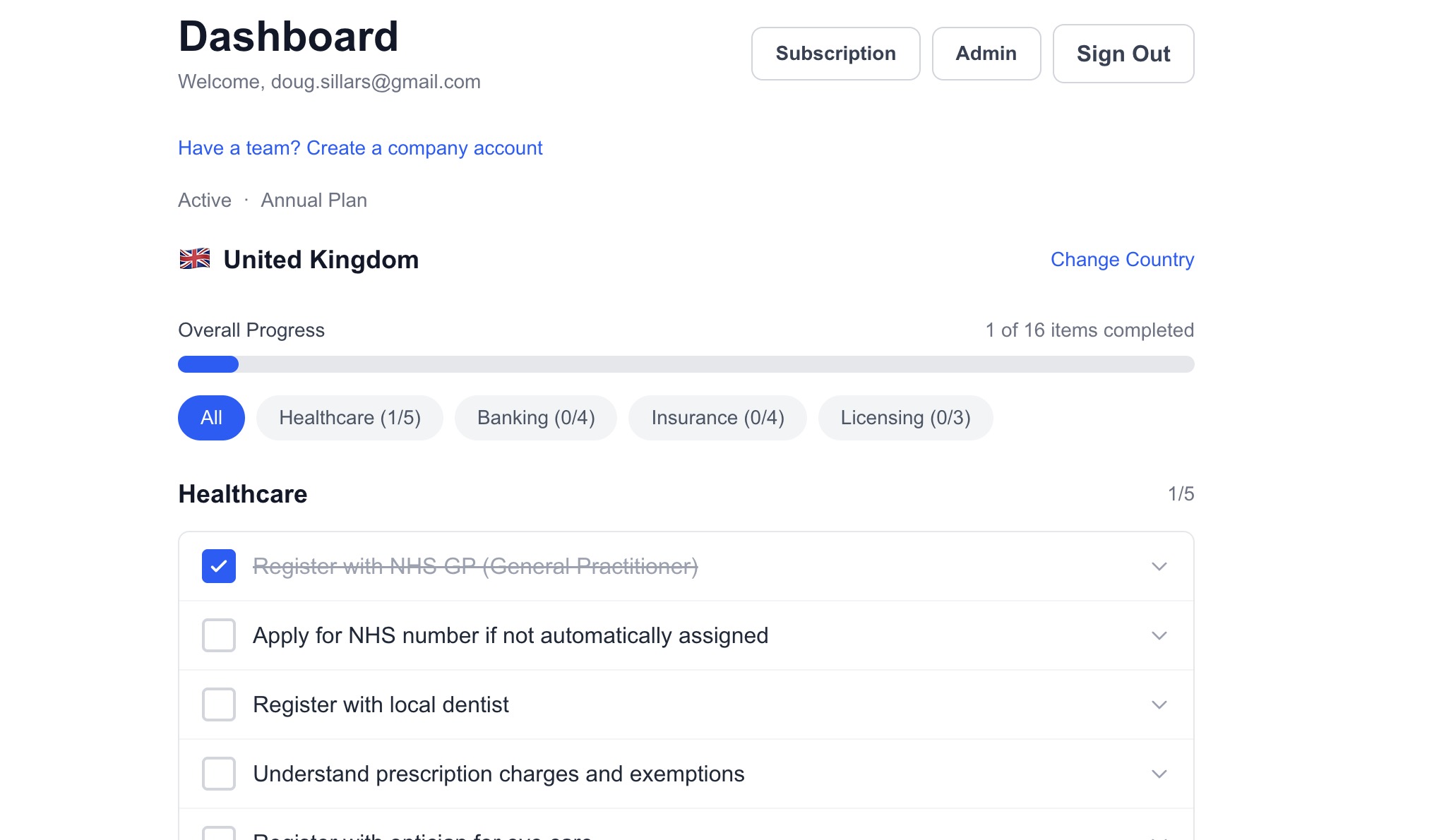
I upgraded my email to become an admin, adding an admin button to the dashboard. Admins can add new countries (note that the UI automatically added the flag next to the name of the country):
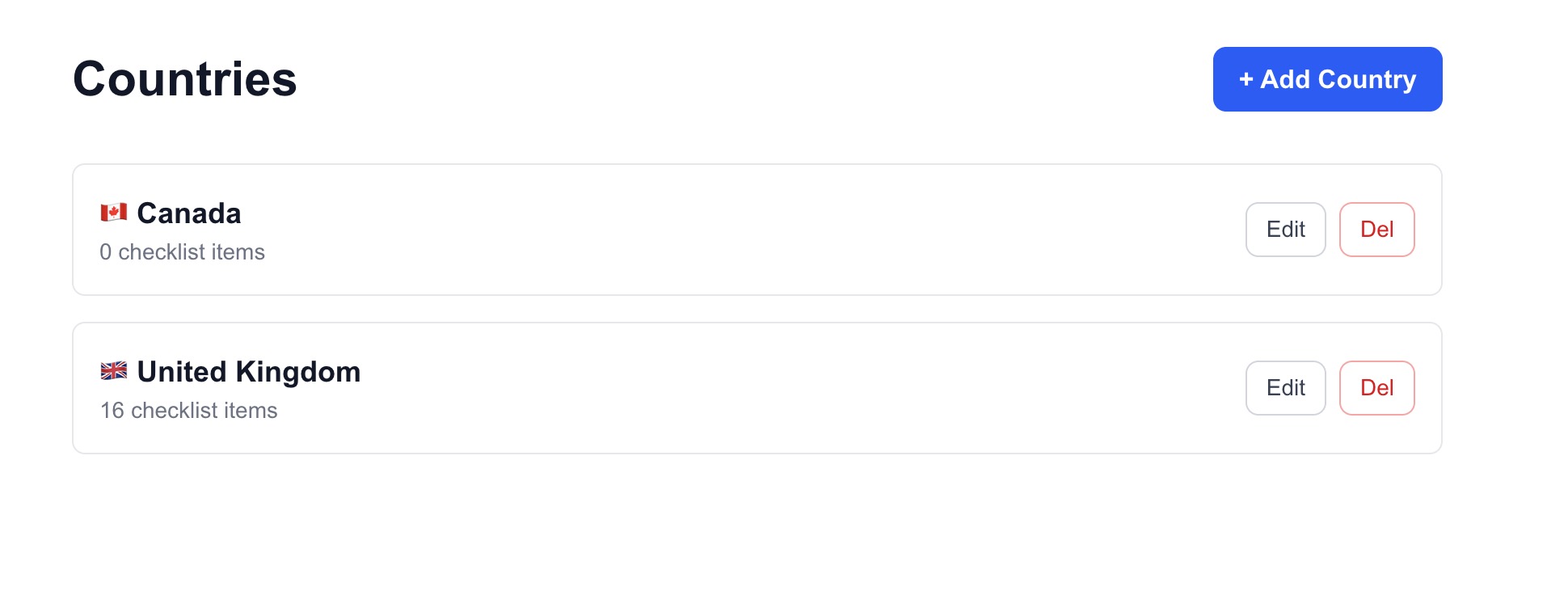
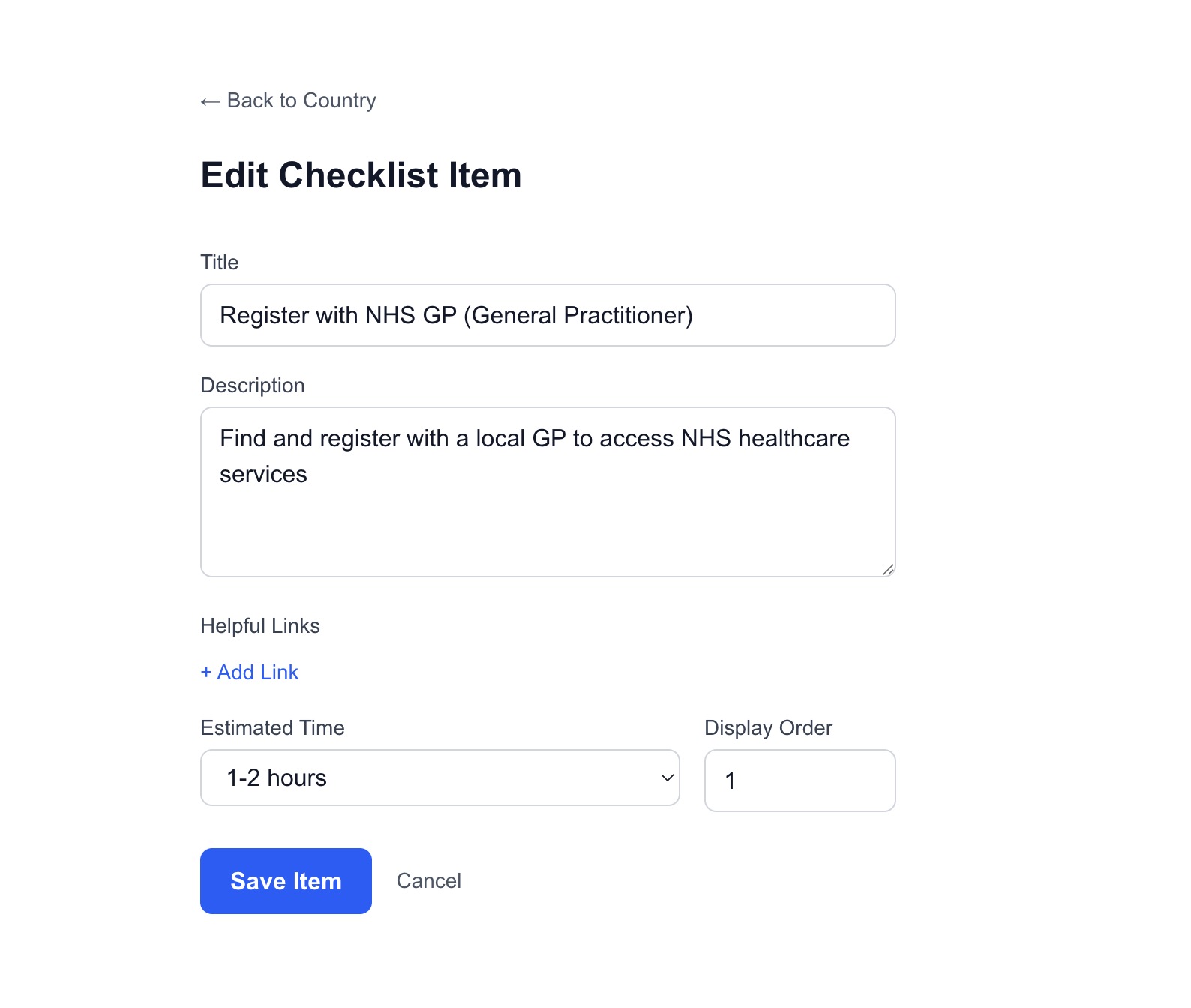
Admins can also add and edit items in the checklist:
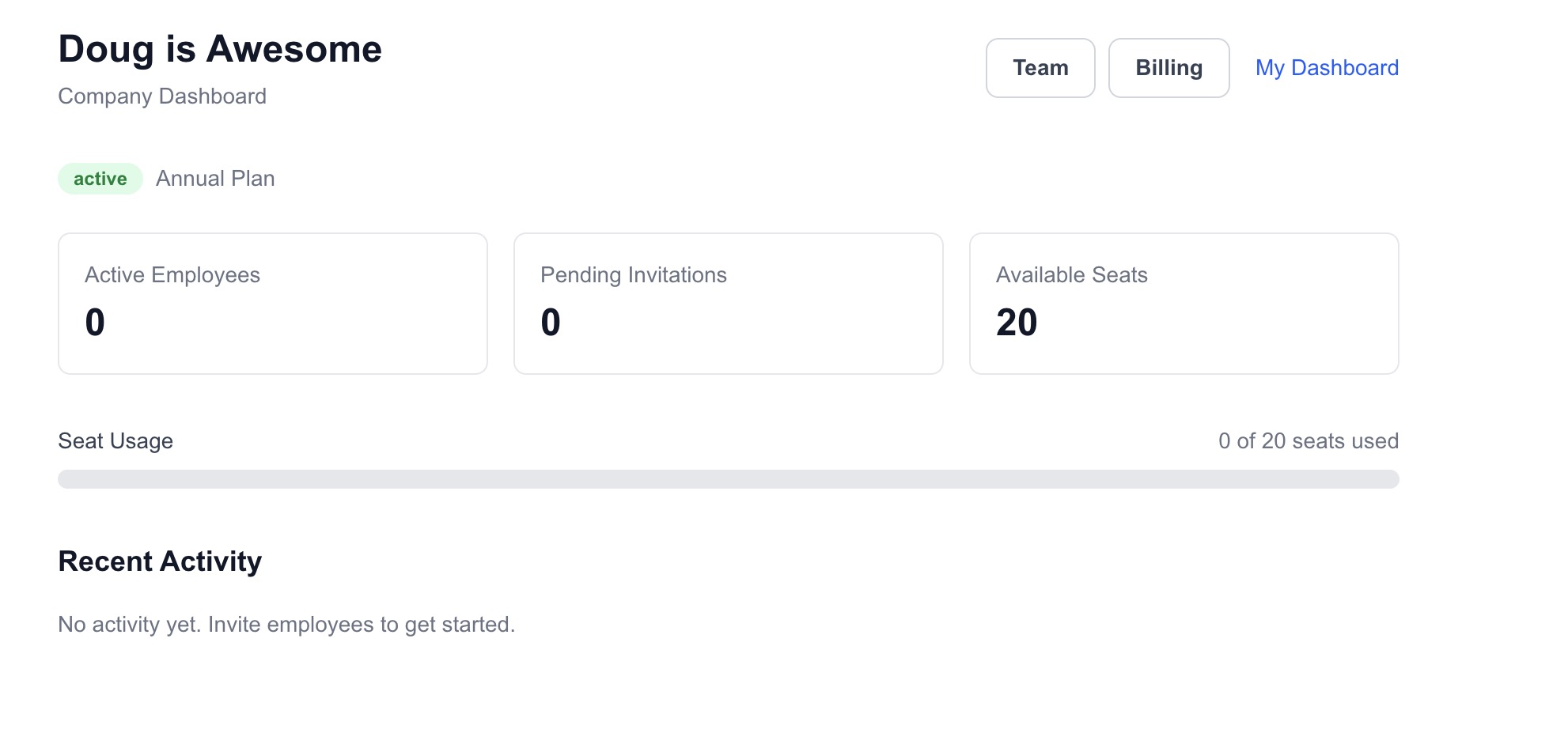
If you have a company, you can add seats and invite employees who are moving to a new country to join the site:
#What I Learned from building a SaaS with BrainGrid
I have built many small applications with vibe coding tools. Scripts to pull API data, Discord bots. Very simple applications that can be described in a couple of sentences. But building a full SaaS application is a bigger deal.
One of the suggestions given by successful SaaS builders is to "look at the unsexy." In many ways, BrainGrid began the development of my application by looking at the not-sexy stuff: databases, libraries, integrations. It isn't fun to build. It isn't glamorous. But without it, the application would not have functioned the way I wanted it to.
I certainly would not have thought about an admin panel for the developers to add new countries or tasks. And the enterprise login, with different invites and seats, would have taken me days to flesh out before even building. It's probably not exactly what I want -- but I can now work with BrainGrid and Claude Code to optimize from a completed MVP.
#What Surprised Me
I started this project on a whim. The fact that in just a few hours I could reach this level of complexity astounded me. Clearly the checklist data is simplistic and would require research to get the correct details -- but the app itself is built! Editing from "Lorem Ipsum" data points means I'd be working in the part of the application where I have expertise -- not joining database tables or figuring out why Stripe isn't working properly.
If you are a SaaS builder, and want to build your app with Vibe coding tools, you can! But adding BrainGrid into the mix is an added superpower: AI product planning on top of the Vibe coding tools means better code - faster. Try BrainGrid when you begin building your SaaS MVP.
#Frequently Asked Questions
#What is an immigration concierge service?
An immigration concierge service helps people navigate the practical systems of a new country -- healthcare registration, driver's licenses, banking, utilities, and other processes that locals take for granted. Unlike visa and legal immigration services, a concierge focuses on post-arrival setup, guiding newcomers through unfamiliar bureaucracies step by step.
#How do I find startup ideas using AI tools?
AI idea generators like IdeaBrowser deliver a scored startup idea daily, evaluated on Opportunity, Problem, Feasibility, and timing. Use these ideas as springboards, not blueprints. Strip the idea to its core pattern, then map that pattern onto a domain you personally understand. Your experience is your competitive advantage.
#Can I vibe code a SaaS product without engineering experience?
Yes. Vibe coding tools like Cursor, Claude Code, and Lovable let non-engineers build working products by describing what they want in plain English. The key is writing clear specs before you start. BrainGrid's product planner AI pushes the vibe coding tools to create real specifications and detailed tasks.
#What are the best AI startup idea generators?
IdeaBrowser delivers daily scored ideas with market analysis. ValidatorAI scores and validates existing ideas. IdeaProof provides AI-powered market research. For broader research, Y Combinator's Request for Startups lists investor-validated problem categories.
#How much does it cost to vibe code an MVP?
With AI coding tools, the primary costs are tool subscriptions ($20-100/month for Cursor, Claude Code, etc.) and your time. A focused MVP like an immigration checklist can be built in a weekend with $50-100 in tool costs. The bigger investment is content research and validation -- budget more time for research than for coding.
About the Author
Doug has been helping developers build across mobile, DevOps, and AI for the last 20+ years. An O'Reilly author, international speaker, and a prolific blogger, he relishes in simplifying the complex.
Want to discuss AI coding workflows or share your experiences? Find me on X or connect on LinkedIn.
Keep Reading

Ready to build without the back-and-forth?
Turn messy thoughts into engineering-grade prompts that coding agents can nail the first time.
Re-love coding with AI