
Spec-Driven Development: Ship Reliable Software Faster with AI
Stop debugging AI-generated code that misses the point. Learn how spec-driven development helps AI coders turn your expertise into AI-ready requirements.
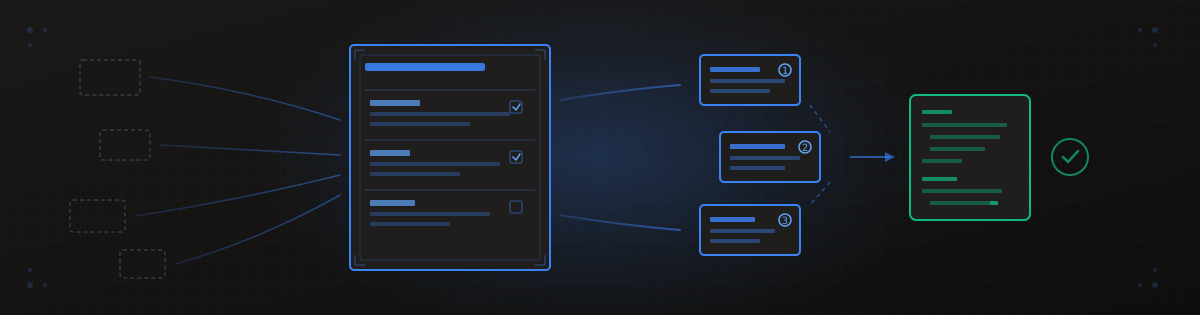
You know exactly what your users need—you've lived in their world. But every time you ask Claude or Cursor to build it, you get buggy code that misses the point. The problem isn't the AI. It's the input.
Spec-driven development flips the script: instead of learning to code, you learn to write clear instructions that make AI coding assistants finally work for you. Tools like BrainGrid have emerged specifically to help domain experts capture their knowledge as structured specs—turning vague ideas into AI-ready requirements without engineering expertise.
The founders who master this will ship their first paying feature while others are still debugging tutorial projects.
#Why Your AI Keeps Missing the Point
Here's a pattern you might recognize: You describe what you want. Claude generates a bunch of code. It looks right... but doesn't quite work. You refine your prompt. Try again. Three hours later, you're no closer to shipping.
The issue isn't weak AI models—it's that we've been treating them like search engines rather than careful partners. As GitHub's team puts it:
"AI excels at pattern completion, but not at mind reading."
AI coding assistants are brilliant developers with amnesia. They need context every single session. When you rely on screenshots, Slack messages, or verbal explanations instead of canonical specs, the AI loses context after a few turns. The result? It starts guessing.
And when AI guesses, it invents things you never defined: copy, schemas, naming conventions, business rules. That's when bugs appear—not because the AI is broken, but because you never told it what you actually wanted.
Compare these two approaches:
❌ Vague prompt: "I need a login page with React"
✅ Precise spec: "Users must sign in with email to view their dashboard. Unauthenticated users are redirected to /login. Show error message 'Invalid email or password' on failed attempts. After 3 failed attempts, show 'Account locked. Try again in 15 minutes.'"
The second version eliminates guessing. The AI knows exactly what to build, including edge cases.
Loading diagram...
Vague prompts lead to AI guessing and bugs. Precise specs lead to working code.
Every hour you spend debugging AI-generated code that missed the point is an hour not spent talking to potential customers. This is exactly why BrainGrid exists—it asks the clarifying questions upfront that prevent AI from guessing. Instead of hoping Claude understands your business logic, you capture it in a structured requirement that any AI coding assistant can execute accurately.
#The Domain Expert Advantage You're Not Using
Here's the uncomfortable truth most "learn to code" advice ignores: you already have the hard skill.
You know the "what" and the "why"—the problem users will pay to solve. Engineers only know the "how" (the syntax). As Sean Grove from OpenAI recently noted:
"The person who communicates the best will be the most valuable programmer in the future."
Specifications, not prompts or code, are becoming the fundamental unit of programming.
Your domain expertise—understanding customer workflows, pain points, and what they'll pay for—is the scarce resource. Code is increasingly a commodity produced by AI. Your value is defining the specification that directs that commodity toward a paying problem.
Domain narratives written in plain language give AI better context than technical jargon ever could. When you describe real workflows from your industry, you're providing exactly the kind of rich context that makes AI assistants useful.
Write specs as "user stories with teeth":
- Who is the user? (Role, context, goal)
- What triggers the action? (Click, time, event)
- What should happen? (Visible outcome)
- What data changes? (Database, API, state)
Domain experts who write clear specs can delegate implementation to AI—or contractors—without losing intent. No engineering hire required.
BrainGrid was built for this exact persona: domain experts who know what to build but need help translating that knowledge into AI-ready instructions. The /specify command takes your rough idea ("I need user authentication with OAuth") and refines it into a structured requirement with acceptance criteria, edge cases, and success metrics. No engineering background required.
#The Four-Phase Spec-Driven Development Workflow
Ad-hoc prompting works for throwaway prototypes. But if you're building something users will pay for, you need a repeatable workflow that eliminates decision fatigue and builds shipping muscle.
The spec-driven development workflow follows four phases:
#Specify
Define the user journey, success metrics, and guardrails. Keep it to one page maximum. You're capturing intent, not writing a thesis.
#Plan
Let AI derive implementation steps from your spec. This is where architectural decisions get made—stack choices, integration points, constraints.
#Tasks
Break the plan into bounded, testable work units. Each task should be something you can implement and verify in isolation.
#Implement
Execute tasks one at a time, reviewing each before proceeding. This prevents the "massive code dump with hidden bugs" problem.
Here's a starter spec template you can use immediately:
1## Feature: [Name]
2
3**Goal**: One sentence describing the outcome
4**User**: Who does this, and why do they care?
5**Trigger**: What action starts this flow?
6**Happy Path**: Step-by-step what happens when everything works
7**Edge Cases**: What could go wrong? How should we handle it?
8**Success Metric**: How do we know this feature is working?
9**Data**: What gets created, updated, or deleted?
The biggest pitfall? Asking AI for "complete implementation in one conversation." Symptom: massive code dumps with hidden bugs. Fix: Execute in bounded phases, 2-3 tasks at a time.
Each completed phase is a checkpoint where you can pause, test in development environment, or pivot—no sunk cost in abandoned code.
BrainGrid's workflow maps directly to these four phases:
- Specify →
/specify "your idea"generates a structured requirement with AI refinement - Plan → The requirement includes implementation guidance and acceptance criteria
- Tasks →
/breakdown REQ-123breaks your requirement into bounded, AI-ready tasks - Implement →
/build REQ-123gives you the complete task list ready for Claude Code, Cursor, or any AI coding assistant
This isn't just theory—it's a command-line workflow you can start using today.
#Iterate on Text, Not Code
Here's a principle that will save you weeks of frustration: changing a paragraph of text takes 30 seconds; refactoring a codebase takes 3 hours.
Get the logic right in English first. Then let AI translate to code.
"Preparing a specification document may seem like a waste of time at first, but it is a necessary step that will save you tons of time in the development phase."
The 30-second edit test:
- Before coding any feature, describe it in 3-5 sentences
- Read it aloud—does it make sense to someone unfamiliar with your product?
- If not, rewrite until clear
- Only then paste into your AI coding tool
After coding, ask your AI assistant: "Summarize how each change satisfies the spec bullets." This creates a verification loop that catches drift before it compounds.
The biggest pitfall here? Not updating specs after discovering new requirements during coding. Symptom: Contributors prompt against stale docs and recreate solved problems.
BrainGrid stores your requirements and tasks in a central system—not scattered markdown files. When you discover new requirements during coding, update the requirement in BrainGrid and it becomes the single source of truth. No more prompting against stale docs because the spec lives in one place that everyone (human and AI) references.
Faster iteration means more learning cycles before launch, which means better product-market fit when you do ship.
#What Your Spec Must Include (And What It Shouldn't)
Right-sizing specs prevents analysis paralysis while ensuring AI has enough context. The goal is "bare bones" that covers the critical path—not a comprehensive document that takes longer to write than the feature takes to build.
When using spec-driven development, over-verbose specs create a "tedious review burden." You end up reviewing documentation instead of shipping features.
Include:
- Goal and success metric
- Users and their context
- Data contracts (what gets created, updated, deleted)
- Guardrails and constraints
- Edge cases that matter
- Post-launch telemetry (how you'll know it's working)
Exclude:
- Detailed wireframes (use napkin sketches instead)
- Exhaustive test cases (generate these from specs later)
- Implementation details (let AI figure those out)
The "Five W's + H" spec checklist:
- Who uses this feature?
- What do they accomplish?
- When does this trigger?
- Where in the product does it live?
- Why does this matter to revenue?
- How do we know it's working? (success metric)
The pitfall to avoid: Overloading specs with wireframes creates "visual feedback loops" where you endlessly tweak UI instead of shipping logic.
Lean specs let you ship V1 fast, gather real user feedback, then enhance—instead of building features nobody wants.
BrainGrid's /specify command uses AI to ask the right questions—Goal, Users, Acceptance Criteria, Edge Cases—so you capture what matters without over-engineering. The output is structured for AI consumption: not a 50-page document, but a focused requirement that Claude Code or Cursor can execute in bounded tasks.
#Common Spec-Driven Development Mistakes (And How to Avoid Them)
Knowing failure modes in advance prevents discouragement and wasted cycles. Here are the mistakes that kill momentum:
#Mistake 1: Feature Creep
AI makes it easy to add cool features. "While we're at it, let's also add..." is the enemy of shipping. If it doesn't help users solve the core problem (and pay you), cut it.
#Mistake 2: "I'll Know It When I See It"
Building without a plan leads to visual feedback loops where you endlessly tweak UI instead of shipping logic. Fix: Wireframe on a napkin or use a simple drag-and-drop tool before asking AI to code.
#Mistake 3: No Success Metrics
Symptom: No one knows if V1 is "good enough" to launch—so you keep adding features instead. Fix: Define what "working" looks like before you write a single line of spec.
#Mistake 4: Letting AI Invent Conventions
When you don't define copy, schemas, or naming conventions, AI invents them—inconsistently. Fix: Capture these in your spec upfront, even if it feels tedious.
#Mistake 5: Ignoring Rollback Plans
No kill-switch means compliance sign-off takes forever and anxiety stays high. Fix: Define how you'll revert if something breaks.
Pre-flight checklist before every AI coding session:
- Is this feature in my spec?
- Does it help users solve the core problem?
- Do I have a success metric defined?
- Can I test this without the rest of the system?
Every unplanned feature delays your launch date. Discipline to cut equals faster time to first revenue.
BrainGrid prevents these mistakes by design:
- Feature creep → Requirements have defined scope; tasks are bounded and trackable
- No success metrics → The
/specifyflow prompts for acceptance criteria before generating tasks - AI inventing conventions → Your requirements capture naming, tone, and data contracts upfront
- Stale docs → Central requirement storage means one source of truth, not scattered files
The structure enforces discipline so you don't have to rely on willpower alone.
#Your New Role: Chief Spec Officer
The mindset shift that makes spec-driven development stick: you're not learning to code—you're learning to lead AI.
Your role shifts from "tinkering with code" to "shipping products." The spec is your source of truth; the code is just the implementation detail.
As The New Stack puts it:
"The future of software engineering won't be about typing faster—it will be about thinking more clearly."
Human judgment remains essential at every phase:
- Does the spec capture what you actually want to build?
- Does the plan account for real-world constraints?
- Are there omissions or edge cases the AI missed?
The process builds in explicit checkpoints for you to critique what's been generated. The AI generates the artifacts; you ensure they're right.
Weekly spec-driven cadence:
- Monday: Review last week's shipped features against specs—did they hit success metrics?
- Tuesday-Thursday: Specify → Plan → Task → Implement cycle for this week's priority
- Friday: Update specs with learnings, archive completed features, prioritize next week
The pitfall: Going back to "vibe coding" when under pressure. Symptom: Spending a weekend debugging AI output that drifted from intent.
Spec-driven founders ship consistently. Consistent shipping builds user trust. User trust converts to revenue.
BrainGrid is your command center for spec-driven development. Here's the complete workflow:
1## Turn vague idea into structured requirement
2braingrid specify --prompt "Add OAuth login with Google and GitHub"
3## → Creates REQ-123 with acceptance criteria, edge cases, success metrics
4
5## Break requirement into AI-ready tasks
6braingrid breakdown REQ-123
7## → Generates 5-8 bounded tasks with implementation guidance
8
9## Get the full build plan for your AI coding assistant
10braingrid build REQ-123 --format markdown
11## → Ready to paste into Claude Code, Cursor, or Windsurf
12
13## Track progress as you ship
14braingrid task update TASK-456 --status COMPLETED
This is what "Chief Spec Officer" looks like in practice: you define intent, BrainGrid structures it, AI implements it, you verify and ship.
#Start Shipping
Spec-driven development isn't about adding process for its own sake. It's about removing the friction between your expertise and working software.
You already know the problem worth solving. You already understand your users. The only thing missing was a systematic way to translate that knowledge into instructions AI can execute reliably.
Now you have one.
Ready to become a Chief Spec Officer? BrainGrid gives you the spec-driven workflow in one tool—from vague idea to shipped feature. Start with braingrid specify --prompt "your next feature" and see how fast you can go from concept to code.
Stop debugging AI output that missed the point. Start shipping features that match your intent.
About the Author
Nico Acosta is the Co-founder & CEO of BrainGrid, where we're building the future of AI-assisted software development. With over 20 years of experience in Product Management building developer platforms at companies like Twilio and AWS, Nico focuses on building platforms at scale that developers trust.
Want to discuss AI coding workflows or share your experiences? Find me on X or connect on LinkedIn.
Keep Reading



Ready to build without the back-and-forth?
Turn messy thoughts into engineering-grade prompts that coding agents can nail the first time.
Re-love coding with AI