
The Second 80%: A Prototype Is Not a Product
AI coding tools are extraordinary at getting you from zero to prototype. They are also extraordinarily good at hiding the mess they leave behind.
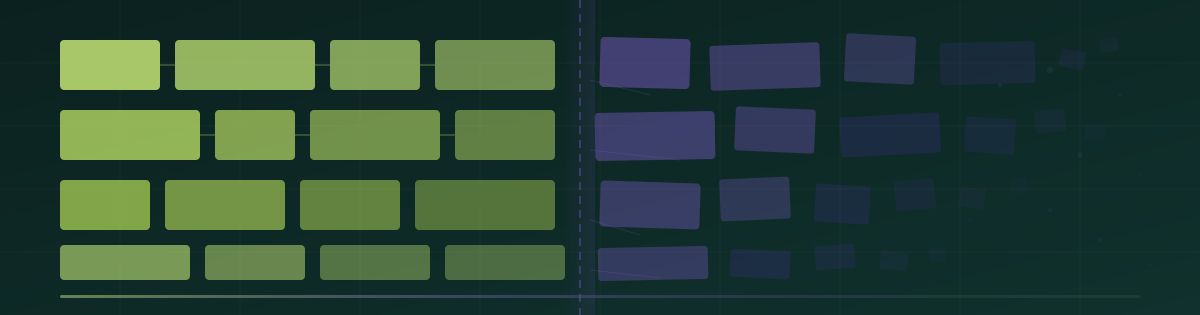
AI coding tools are extraordinary at getting you from zero to prototype. They are also extraordinarily good at hiding the mess they leave behind.
Recently, a developer shared that Claude Code deleted his entire home directory. Wiped his Mac clean. The story spread fast, not because it was unusual, but because every builder who has gone deep with AI coding tools has their own version of it. Maybe not as dramatic. But the same root cause: the tool did exactly what it was told, and nobody had defined what it should not do.
Meanwhile, a blog series applying Lisanne Bainbridge's 1983 paper "Ironies of Automation" to AI coding is sparking serious conversation among developers. The thesis is simple and devastating: automation does not eliminate problems. It moves them. And the new problems are often harder to spot because you have been lulled into trusting the system.
Both stories point to the same truth that every non-technical AI builder needs to hear right now.
#The Prototype Trap
In a recent developer discussion about whether source code is still a competitive moat, one comment nailed it:
"People forget the difference between a prototype and a final product. Productization ('the second 80%') is where the true grind begins, and this is where the cracks show if you didn't design your product."
This is the trap. Tools like Cursor, Replit, Lovable, v0 by Vercel, and bolt.new are competing on one metric: how fast can you go from idea to something that looks like an app. And they are getting scarily good at it. You can have a working demo in an afternoon.
But a demo is not a product. A product handles edge cases. A product has authentication that does not break. A product scales when your first 100 users sign up at the same time. A product does not delete your home directory.
The first 80% of building (the prototype) is the part AI handles well. The second 80% (yes, that math is intentional) is where vibe-coded apps go to die.
#Where the Cracks Show Up
Talk to anyone who has shipped a vibe-coded product to real paying customers and the stories sound the same.
The database schema made sense for the demo but falls apart when you need to add a feature. The auth flow works until someone tries to reset their password from a different device. The payment integration processes the first charge but does not handle refunds, failed cards, or subscription changes. The API you built handles 10 requests fine but crashes at 100.
None of these show up in the demo. All of them show up in the first week of real usage.
Kaleen from Motra Studio had been through this cycle multiple times before finding a different approach. She would build fast, ship something that looked great, then spend weeks firefighting issues that a clearer plan would have caught upfront.
"I kept rebuilding the same app three different ways because I never defined what it actually needed to do before I started prompting."
Matt and Clay from Unicorn.love had a similar experience. They were burning through Cursor credits, generating and regenerating features, because each prompt was a shot in the dark without a clear picture of how everything connected. The tool was fast. But fast in the wrong direction is just expensive.
#The Irony Nobody Talks About
Here is the real irony of AI-powered building, and it maps perfectly to Bainbridge's 1983 paper. We wrote about this same dynamic in The Babysitting is Over: AI coding needs a better plan, not just a faster tool.
The better AI coding tools get at producing working code, the less the builder understands what that code actually does. And when something breaks (it will break), the builder is less equipped to fix it than if they had built it manually.
This is not a theoretical problem. It is happening right now, thousands of times a day, across every vibe coding platform. A non-technical founder gets a beautiful app from Lovable. They ship it. A user finds a bug. The founder goes back to the AI and says "fix this bug." The AI introduces two new bugs while fixing the first one. The founder does not notice because they do not understand the codebase. Rinse, repeat, until the app is unmaintainable.
As Uwe Friedrichsen writes, the more AI handles, the more expensive human supervision becomes, because the humans lose the skills to intervene effectively. The automation did not eliminate the need for understanding. It hid it.
#Planning Is Not Overhead. It Is the Product.
The fix is not "learn to code." The fix is not "stop using AI tools." The fix is to define what you are building before you build it.
This sounds obvious. It is not obvious when every tool in the ecosystem is optimized for speed and every incentive pushes you to start prompting immediately. The vibe coding category on Product Hunt tells the story: new launches all competing on the same promise: faster. Perplexity Computer wants you to hand it a project and let a swarm of agents run with it. Superset lets you spin up multiple coding agents at once. Speed, speed, speed.
But speed without direction is just expensive chaos.
What does defining look like in practice? It means writing down the specific things your product needs to do, for whom, and in what order. It means identifying the connections between features before they become tangled code. It means thinking through the unhappy paths (what happens when the payment fails, what happens when the user enters garbage data, what happens when two people edit the same thing at the same time) before your users discover them for you.
Saymon from Core Care put it simply:
"I thought planning would slow me down. It did the opposite. Once I had structured requirements, my AI coding sessions went from chaotic to surgical. I stopped generating code I had to throw away."
#The Before and After
Here is what the difference looks like in practice.
Without structured planning: You open Cursor. You prompt: "Build me a project management tool." You get something. You prompt again: "Add user roles." Things break. You prompt: "Fix the thing that broke." New things break. Two weeks later you have 15,000 lines of code, no clear architecture, and a product that works 70% of the time.
With structured planning: You define your core user (freelance designers managing client projects). You map out the five key workflows they need. You identify the data relationships (projects have tasks, tasks have assignees, assignees have permission levels). You define what "done" looks like for each feature. Then you open Cursor. Your prompts are specific. Your outputs are predictable. Your code fits together because you designed it to fit together.
The second approach takes an extra day upfront. It saves weeks of rework. And it is the difference between an app that demos well and a product that generates revenue. (We walk through this exact workflow in Building the BrainGrid Way.)
#The Bottom Line
The vibecoding era is real. The tools are incredible. But now the tools are solving the wrong bottleneck.
The bottleneck was never "how fast can I generate code." The bottleneck is "do I know what I am building and why."
Every builder story we see follows the same arc. They tried building fast. They hit the wall. They stepped back, structured their thinking, and then built fast in the right direction.
The second 80% does not have to kill your app. But you have to plan for it before you write your first prompt.
About the Author
Nico Acosta is the Co-founder & CEO of BrainGrid, where we're building the future of AI-assisted software development. With over 20 years of experience in Product Management building developer platforms at companies like Twilio and AWS, Nico focuses on building platforms at scale that developers trust.
Want to discuss AI coding workflows or share your experiences? Find me on X or connect on LinkedIn.
Keep Reading


Ready to build without the back-and-forth?
Turn messy thoughts into engineering-grade prompts that coding agents can nail the first time.
Re-love coding with AI