
Designing Your SaaS: Turn Requirements into Visual Designs
BrainGrid now generates visual designs with every requirement. Refine the design before Claude Code builds it — no Figma needed.
Last weekend I built a rocket launch tracker — from idea to deployed website — using BrainGrid's new design tool. Every requirement came with a visual design I could interact with and change. When the design matched what I'd imagined, Claude Code built it.
No Figma. No designer. No "that's not what I meant" rework. Here's exactly how.
Vibe coding has given non-developers access to serious engineering capabilities — Vercel found that 63% of vibe coders aren't developers. Tools like Claude Code, Cursor, and Windsurf have made production-quality code accessible to anyone who can write a prompt.
But what about the design? If 63% of vibe coders aren't developers, even fewer have a design background — and design is significantly harder to communicate through prompts than code logic. In most of my projects, I just roll with whatever layout the AI comes up with. There's been no real way to plan how your application is going to look.
Until now. BrainGrid now generates a visual design with every requirement — a mockup you can interact with and refine before a single line of code is written.
#Why You Should Design Your SaaS Before You Build It
Design-first development means creating a visual blueprint of your product before any code is written. For vibe coders, this eliminates the most expensive mistake in the build cycle: shipping code that works correctly but builds the wrong thing.
You know what you want. Text prompts can't carry that mental image faithfully — "a clean dashboard with usage stats" produces 50 valid interpretations. A visual design has one. When you work on the design in BrainGrid before building, the coding agent builds from that blueprint — no interpretation required.
Result: you get the layout you want, the first time. Let's see it in action.
#What We're Building: A Rocket Launch Tracker
To see this in practice, we'll build a rocket launch tracker — a single-page app that pulls live data from the Launch Library V2 API, filters by location and agency, and shows launch status.
Here's the prompt:
1I want to build a site where you can see upcoming rocket launches and you can filter by location Vandenburg, kennedy, Kazakhstan, etc and who's launch it is SpaceX, use Launch Library 2 (TheSpaceDevs)
That prompt contains zero layout information, zero color choices, zero design decisions — yet BrainGrid turns it into a full design specification.
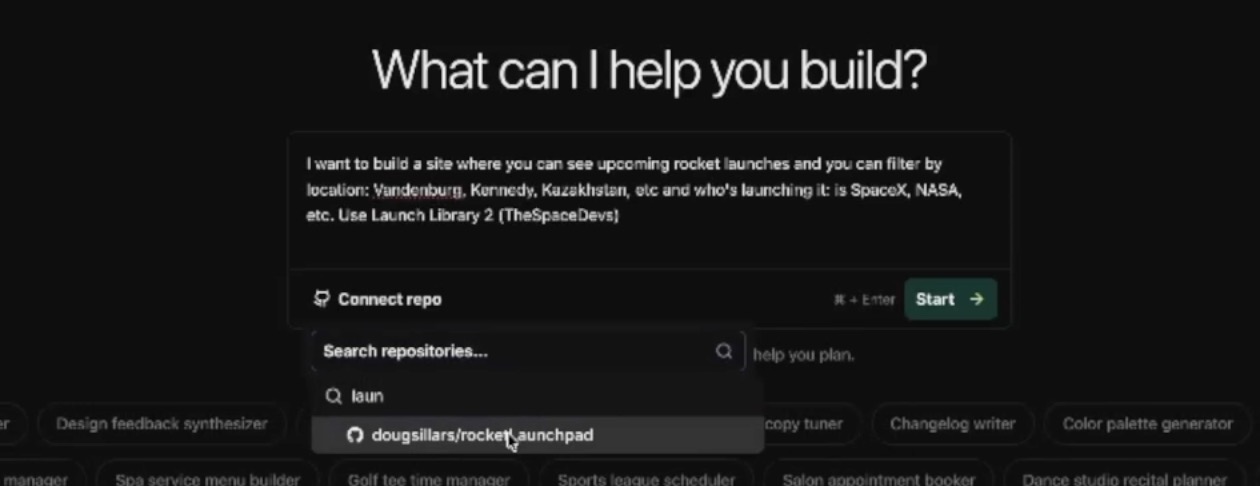
BrainGrid takes this raw prompt and generates a structured epic — with user flows, acceptance criteria, and technical scope:
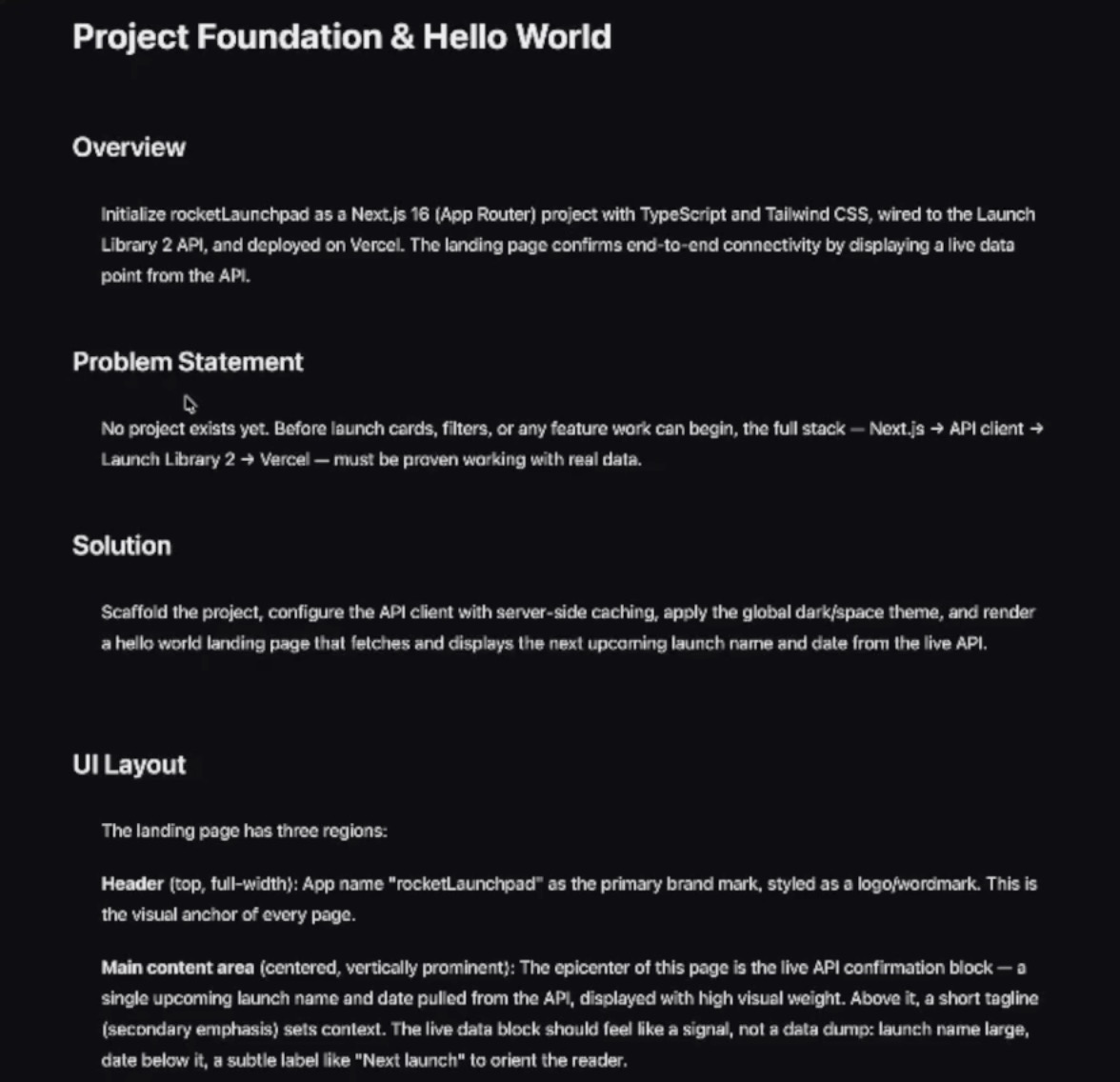
From that epic, BrainGrid breaks the project into three requirements.
- REQ-1: Project foundation & hello world (Next.js, Vercel, API integration)
- REQ-2: Upcoming launches list with launch cards
- REQ-3: Filter by location and launch agency
Each requirement ships with a visual design — a mockup you can iterate on before any code is written.
#How BrainGrid Generates Designs from Requirements
Let's start at the beginning, with requirement 1. This is building the framework of the site, and a "Hello World" page, showing that the API is connected to the project. If you've used BrainGrid before, you know that the specify step of the process builds a requirements document:
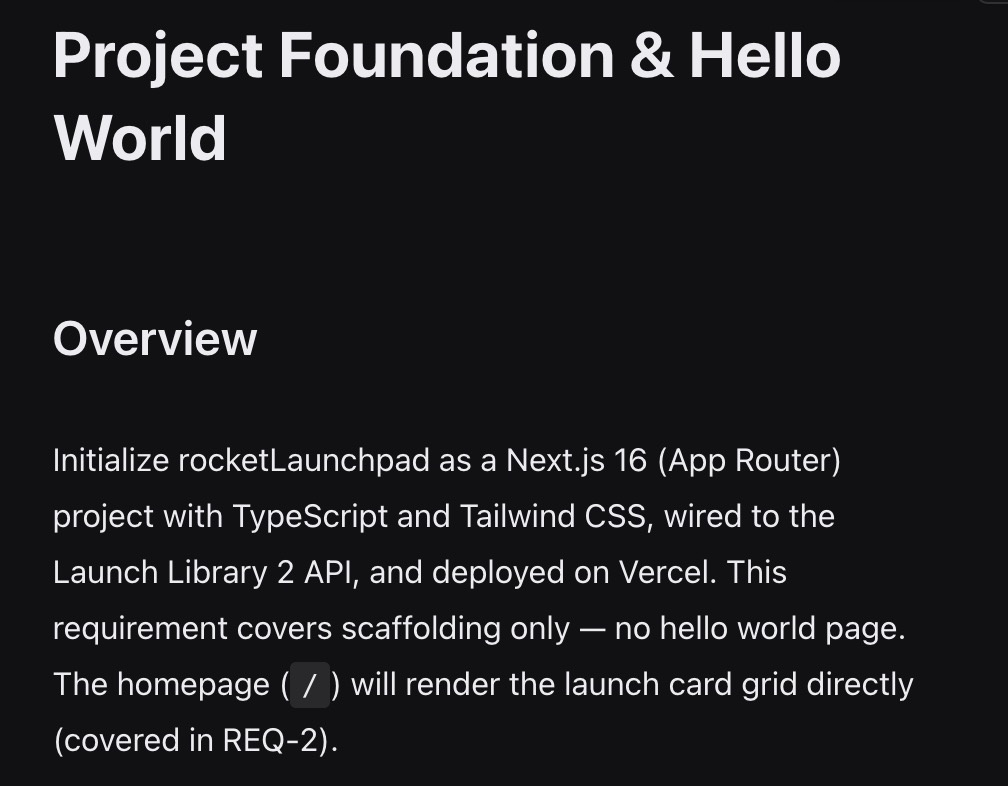
But the new feature is the design tab. As BrainGrid creates the requirement, it also specs out a design, found on the new Design tab:
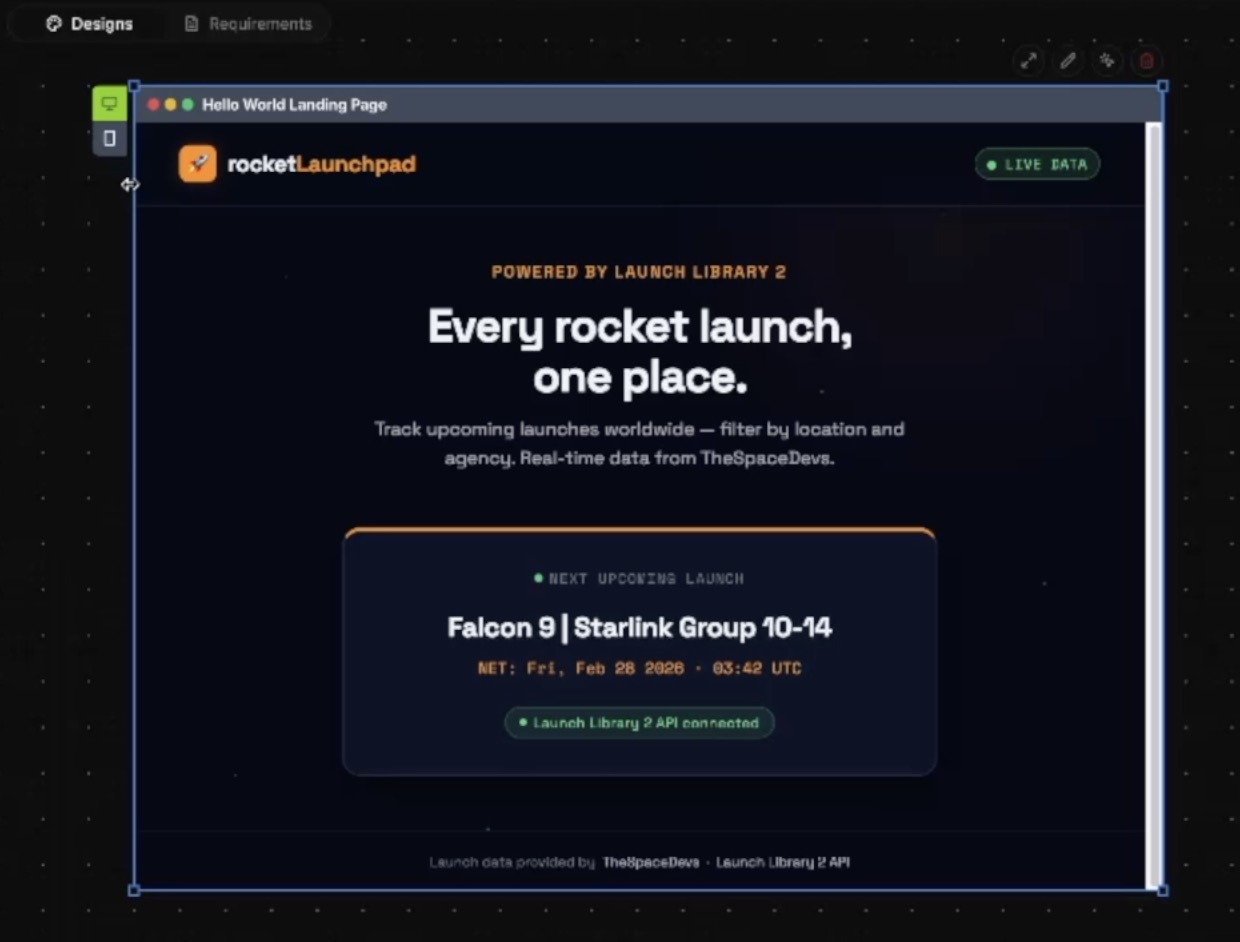
The upper left has a toggle between desktop and mobile views. The upper right has tools to interact directly with the AI on the design.
In this case, I'm not loving the orange. I circle the icon and ask BrainGrid to make it light blue. BrainGrid updates the icon, but orange accents persist elsewhere on the page. So a second prompt asks to replace all orange accents with blue:
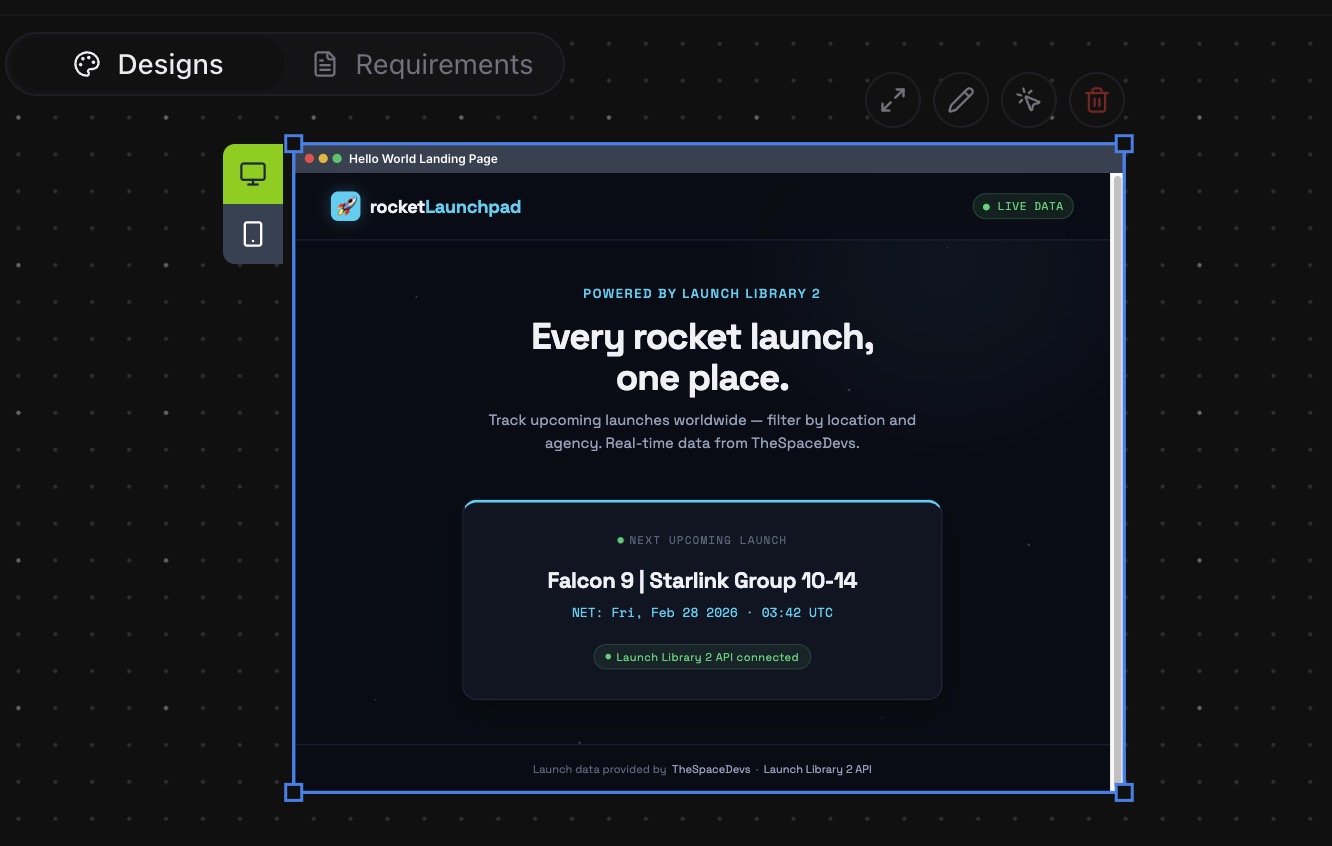
With that, the design is locked. This is the moment that changes everything: instead of describing what I want to Claude Code in text, I'm handing it a visual blueprint it can't misread. I've already installed BrainGrid and Claude, so once I've cloned the GitHub repository:
1braingrid init # to initialize the project, and connect to the project on Braingrid
2claude #startup claude
Once in Claude, I use the /build slash command — it reads the requirement, examines the design, creates tasks, and builds them:
1/build req-1
Claude begins to putter, think, cogitate, etc., and about 10 minutes later:
- tasks created
- tasks implemented
- tasks tested
- PR made to GitHub
When I opened it locally, the layout, colors, and component structure matched the BrainGrid design exactly — no post-build tweaking needed. If you're familiar with how BrainGrid structures the build process, this is the same Idea, Epic, Requirements, Build pipeline — now with design baked into every requirement.
That's the whole point: every hour you're not rebuilding UI is an hour you can spend talking to the prospect who will become your first customer.
#Designing Requirement 2
With the foundation in place, REQ-2 populates the page with actual rocket data. The initial spec put launches on a separate /launches/ page, leaving the hello world as the landing page. That didn't make sense functionally, so I prompted BrainGrid to rewrite the spec. It removed the default landing page and replaced it with the launch list.
The design for REQ-2 has two images:
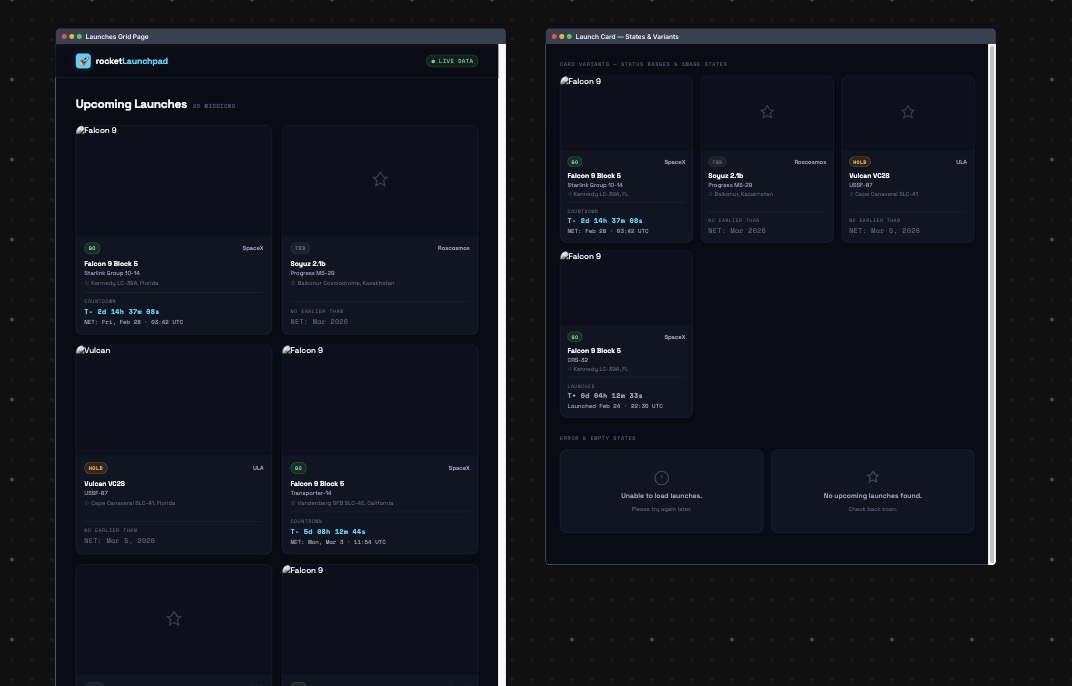
The image on the left shows what the page will look like (the images appear as broken), and the right is a design for all of the possible outcomes of the page loading:
- Is the launch a GO, TBD, on hold?
- Is there a countdown?
- Are there no launches planned?
#Designing Requirement 3: Filters and Edge Cases
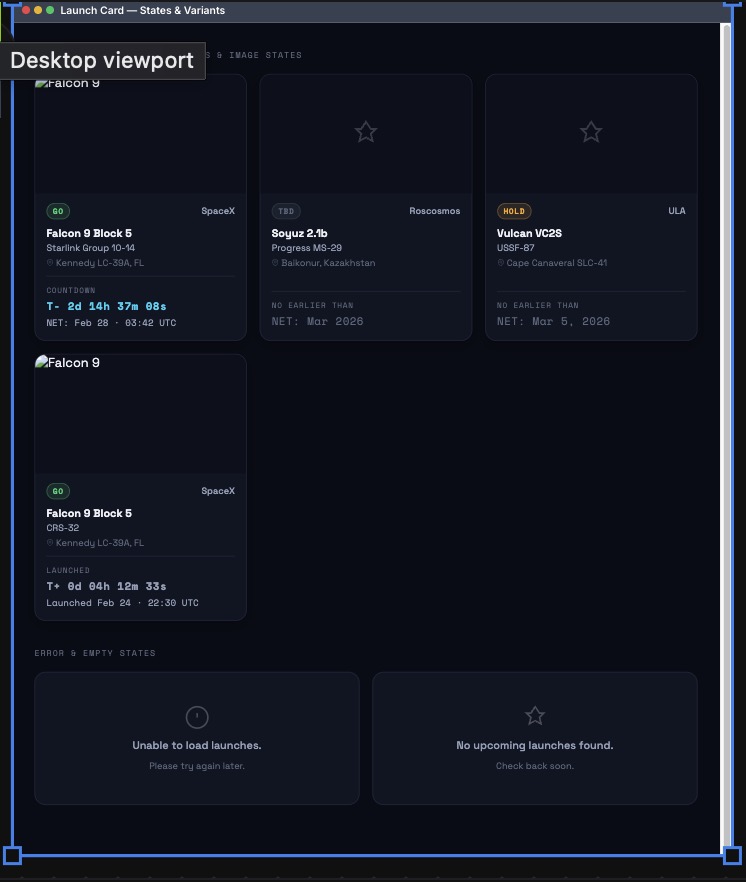
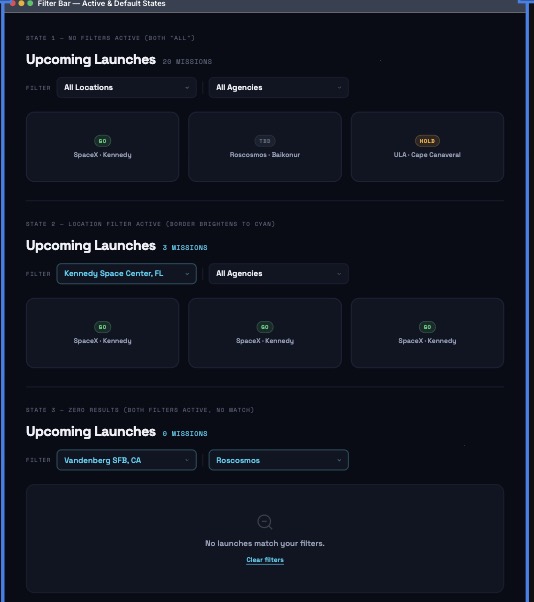
With the launch list rendering correctly, REQ-3 focuses on the filtering layer — the part most likely to expose edge cases in the design. It adds the ability to filter by location and by company, allows both to be selected simultaneously, and shows a "clear filters" option when there are no results. These are all clearly denoted in the Design tab:
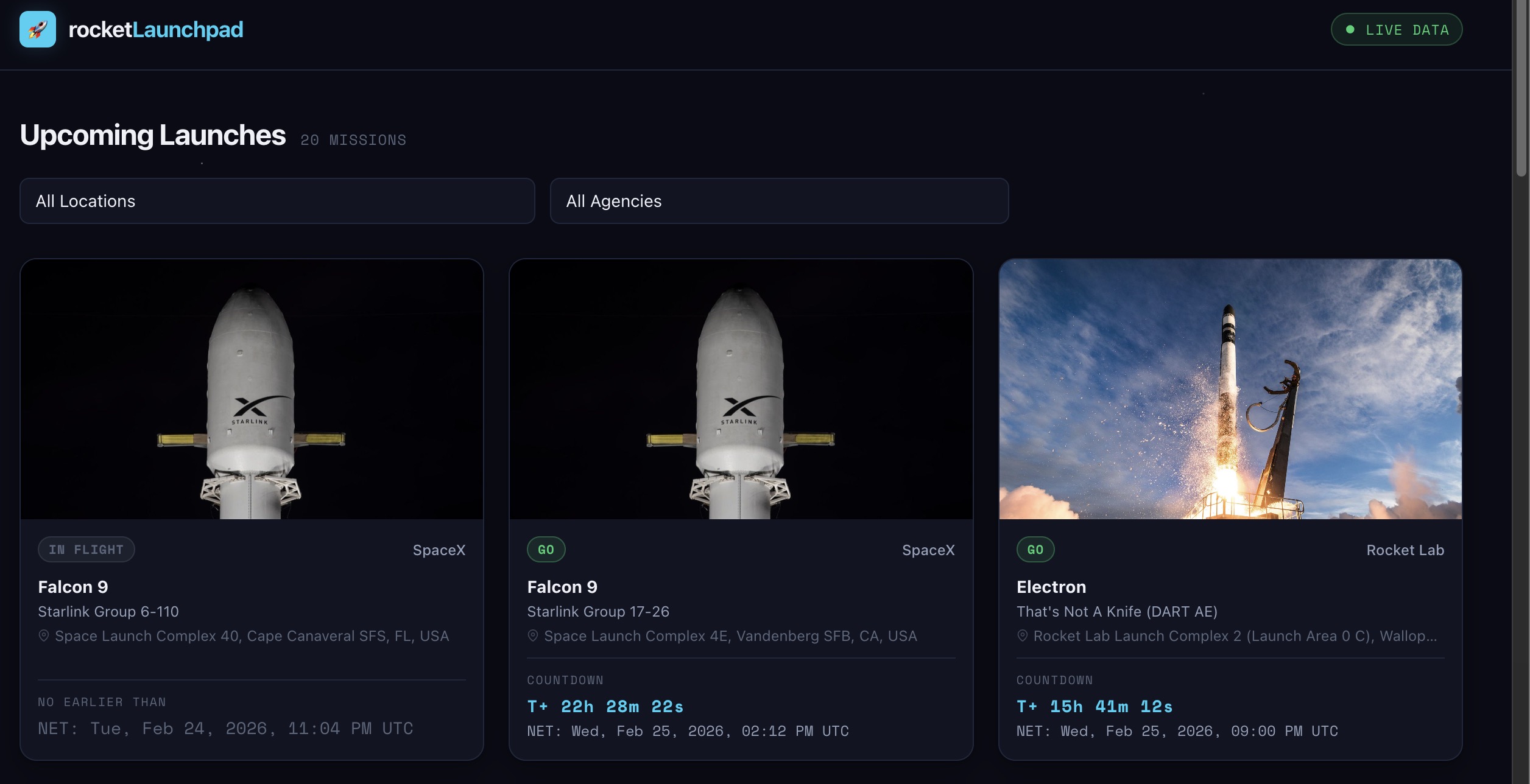
After Claude Code built all three requirements, the site was live — and it matched the BrainGrid designs exactly:
#Design Before Code
When vibe coding, the design is often left to the agents. That means you don't see what you're getting until the code is built — and by then, changing the UI means changing the code. Changing a design takes minutes. Changing production code takes hours.
By resolving the UI in the design phase, you eliminate the back-and-forth tweaking after the fact. Better yet, because the data model and component structure are designed together, the agent builds one coherent system — not a series of patches applied after the fact.
Here's what this workflow actually changes: you can show a prospect your designed product before you've written a line of code. Not a text description. Not a rough sketch. A real, interactive screen they can react to. That conversation happens weeks earlier — and your first paid customer doesn't care about your tech stack, they care whether the product solves their problem.
BrainGrid's product planning already turns your prompt into structured requirements and tasks. Now it generates the visual design too — so your agents build from a spec and a mockup, not a hunch. Try the design workflow at BrainGrid — it takes about five minutes to see your first design.
#FAQ
#Should I design my app before coding it?
Yes — and the cost asymmetry makes it clear. Changing a design takes minutes. Changing production code takes hours. A design iteration that catches one "that's not what I meant" moment pays for itself immediately. For any product you plan to show to real users or paying customers, a design checkpoint before coding reduces rework by 2-4x.
#How do I design a SaaS product without a designer?
Use an AI planning tool like BrainGrid that generates visual designs from structured requirements. You write the spec describing what the product does, who it's for, and what success looks like. The tool generates an interactive design you can refine without any design skills. When the design matches your vision, an AI coding tool builds it.
#What is design-to-code and how does it work?
Design-to-code is a workflow where a visual design serves as the blueprint for AI-generated code. Instead of describing your product in text and hoping the AI interprets it correctly, you create or refine a visual design first. The AI coding tool then matches the layout, component structure, and data mapping from the design — producing code that looks and works like what you approved. For more on using Claude Code for UI design work, see our dedicated guide.
#Can AI generate UI designs from text descriptions?
Yes, but the quality depends heavily on the input. Tools like v0 and Google Stitch generate designs from freeform prompts, which works for simple screens but produces generic output for complex products. BrainGrid generates designs from structured requirements that include user flows, data models, and acceptance criteria — producing designs that encode business logic alongside visual layout.
#How do vibe coders handle UI design?
Most vibe coders skip design entirely and go from prompt to code, which leads to generic-looking products and expensive rework. Experienced vibe coders use a design-first workflow: they create or generate a visual reference before coding, iterate on it cheaply, validate it with prospective customers, and only then build from the approved design. This approach reduces rework by 2-4x.
#What data API is best for a rocket launch tracker?
Launch Library 2 by TheSpaceDevs is the best free option. It covers all major launch providers (SpaceX, ULA, Arianespace, Rocket Lab, and more), includes detailed mission data, countdown timers, and launch site information. The free tier provides full database access with reasonable rate limits, and the API is well-documented with an active developer community.
About the Author
Doug has been helping developers build across mobile, DevOps, and AI for the last 20+ years. An O'Reilly author, international speaker, and a prolific blogger, he relishes in simplifying the complex.
Want to discuss AI coding workflows or share your experiences? Find me on X or connect on LinkedIn.
Keep Reading

Ready to build without the back-and-forth?
Turn messy thoughts into engineering-grade prompts that coding agents can nail the first time.
Re-love coding with AI