
Why AI Coding Agents Need a Plan (And How to Give Them One)
AI coding agents can now build entire features. But without a plan, they build the wrong thing. Here's how spec-driven development fixes this.
Coding agents can now build entire requirements end-to-end. They code for longer, handle more complexity, and manage their own task breakdown. Tools like Claude Code, Cursor, and Codex have built-in to-do lists and task systems that let them break work into steps as they go.
This changes how you should work with them.
#Requirements matter more than ever
A well-specified requirement — clear description, acceptance criteria, edge cases, technical context — is the difference between a good build and a bad one. The better the requirement, the better the output.
But granular task breakdown? That's the agent's job now. When you hand an agent a detailed requirement, it figures out the implementation steps itself. It makes decisions based on what the code actually looks like, not what you imagined ahead of time. Agents are better at breaking down their own work than we are at breaking it down for them.
#What changed in BrainGrid
We had a breakdown step where you planned tasks upfront before handing work to an agent. That step is no longer necessary.
The new Build tab replaces the old Tasks tab. Instead of specifying a requirement, breaking it into tasks, and then assigning those tasks — you specify a requirement and go straight to building.
Before: Specify → Break down into tasks → Assign to agent → Track tasks manually.
After: Specify → Build. That's it.
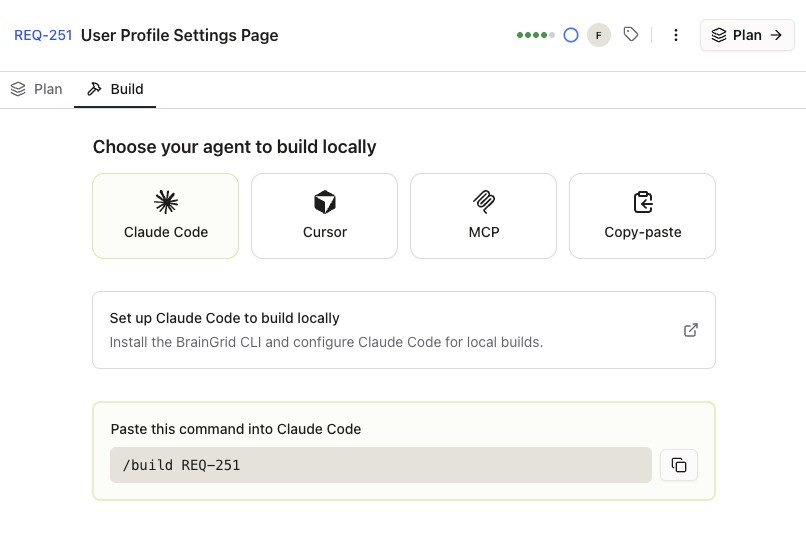 Pick your coding agent and go straight to building
#Tasks are now record-keeping
Tasks haven't gone away — they've changed roles. We instruct the coding agent to create tasks in BrainGrid as it works. These tasks serve as a record of what the agent did: decisions it made, steps it took, code it wrote.
This means you can resume a build session wherever you left off without starting from scratch or losing your work. If the agent gets interrupted or you need to pick up later, the task history is there.
Tasks are no longer a specification you write upfront. They're a log of what actually happened.
#How it works
#1. Specify your requirement
Specify a requirement in BrainGrid to describe what you want to build. The planning agent refines it into a complete requirement with designs, acceptance criteria, edge cases, and technical notes. This is the part that matters most — invest your time here.
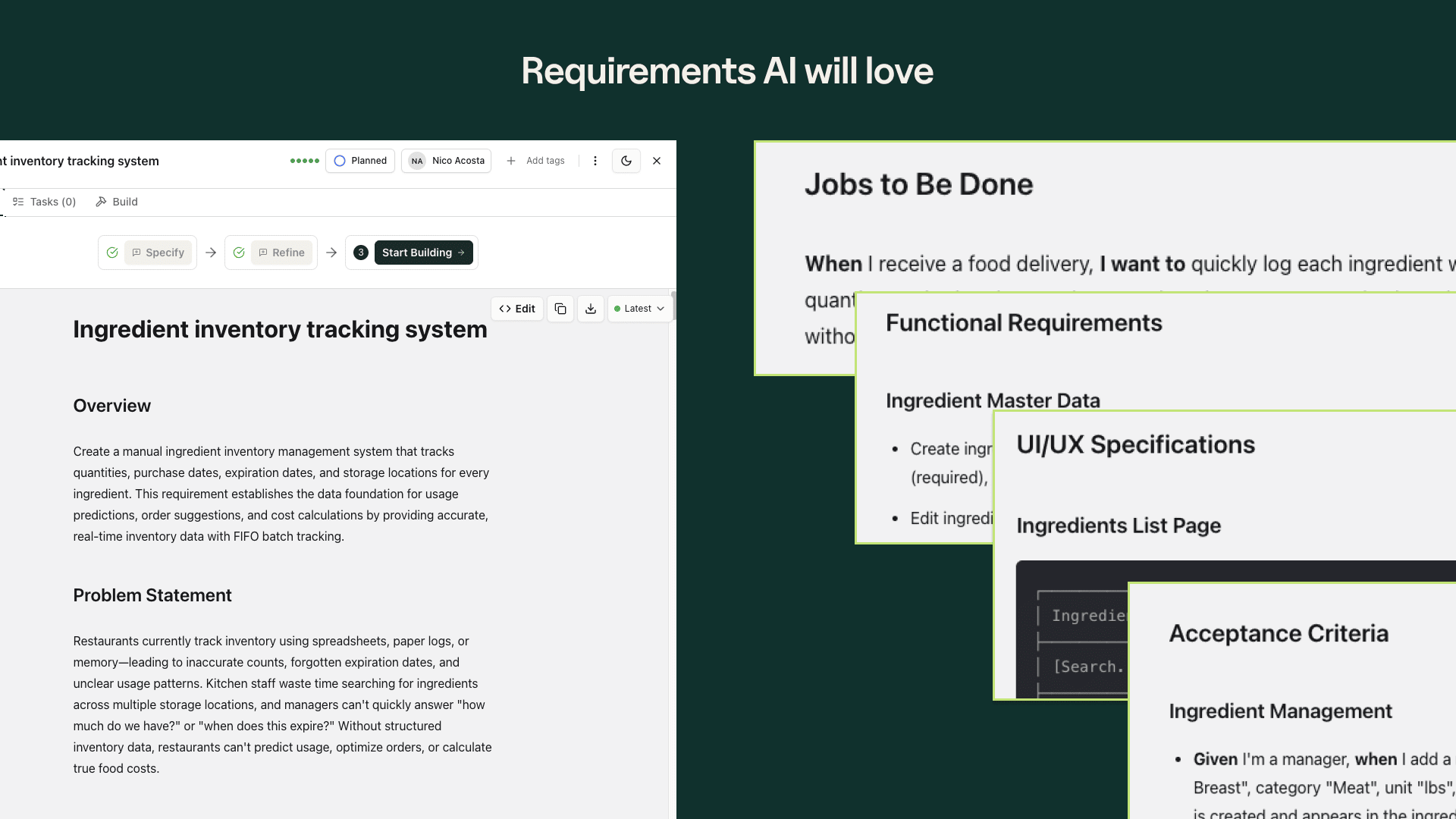 A specified requirement with overview, problem statement, and acceptance criteria
#2. Open the Build tab
Click Build on any specified requirement. Pick your coding agent:
- Claude Code — Get a
/build REQ-XXXslash command to paste into your terminal - Cursor — Same context, formatted for Cursor's workflow
- MCP — For agents that connect via Model Context Protocol
- Copy-paste — Raw context you can paste into any tool
<video autoPlay loop muted playsInline style={{width: '100%', borderRadius: '8px'}}>
#3. Watch tasks appear
As your agent builds, it creates tasks in BrainGrid — documenting each step. You can track progress in real time and resume any session later.
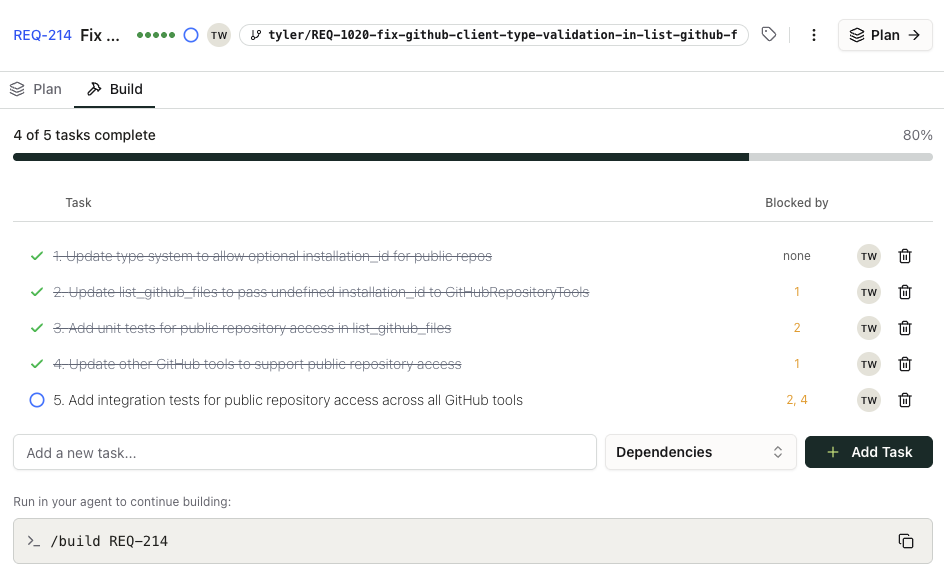 Tasks are created by the agent as it builds
#4. Review when done
When the agent finishes, review the PR alongside the tasks it created. Everything is tracked.
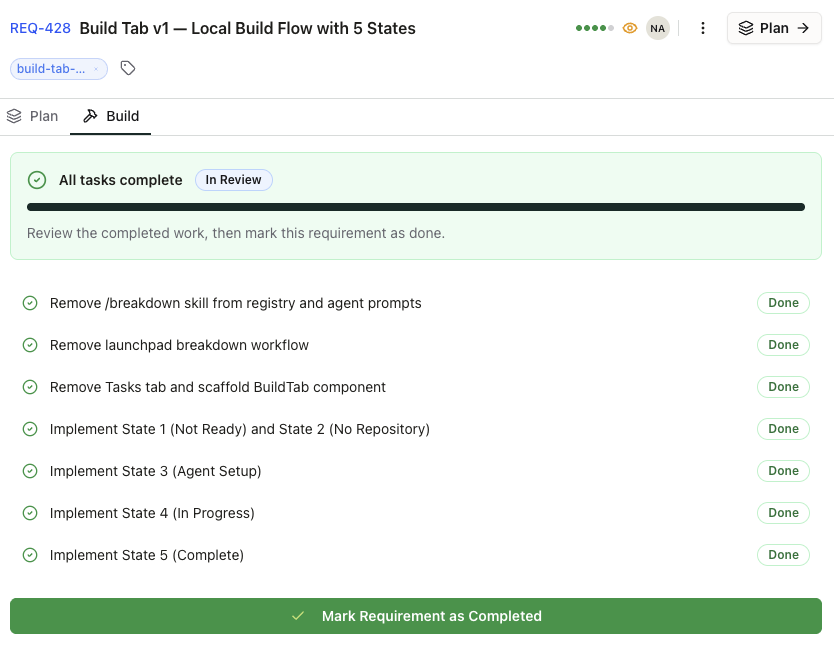 Every step is tracked for review
#Specify well, let the agent handle the rest
The role of a builder using AI is shifting. Your job is to define what needs to be built and why it matters. The agent handles how. Requirements are your leverage — the better they are, the better everything downstream gets.
The Build tab is live for all BrainGrid projects.
About the Author
Nico Acosta is the Co-founder & CEO of BrainGrid, where we're building the future of AI-assisted software development. With over 20 years of experience in Product Management building developer platforms at companies like Twilio and AWS, Nico focuses on building platforms at scale that developers trust.
Want to discuss AI coding workflows or share your experiences? Find me on X or connect on LinkedIn.
Keep Reading


Ready to build without the back-and-forth?
Turn messy thoughts into engineering-grade prompts that coding agents can nail the first time.
Re-love coding with AI